Changelog Examples: 12 Real Entries, Sorted by Kind
Shayan, Founder18 min read

A good changelog entry lets a reader tell right away what changed for them, whether they have to do anything, and by when. Below are twelve kinds of updates a software team ends up writing, each with a real entry quoted word for word, dated, and linked from live changelogs read on November 12, 2026.
Most collections of changelog examples describe or screenshot the entries they show and never quote them. None of the ones we read quotes how a real team wrote a pricing change, a security patch, an incident note, or an update crediting a customer request. Announcing a shiny launch is the easy post. The ones where you stare at a blinking cursor are telling developers their CLI now behaves differently, admitting that replacing tags with folders is a downgrade for power users, or explaining a security incident.
If you're setting up a product changelog for the first time or looking for repository formats and templates, start with our guide to what a changelog is. If you have an update to write today and want to see how teams like Ghost, Supabase, Kagi, Tailscale, Linear, Vercel, and Railway handle each situation in plain English, here are all twelve.
1. A new feature
The trap on a feature launch is spending the opening paragraph congratulating your own team with lines like "We're thrilled to announce our newest capability" before ever saying who the feature helps or where to find it in the app.
Look at how Ghost's November 10, 2026 entry introduces "Custom fields" under its "New" badge:
A name and an email only tell you so much. You've told us you want to store more information about your members: a B2B newsletter wants to know which companies read it, a local newsroom which neighborhoods its readers live in, and a community might group its members by the topics they follow.
Before explaining a single database setting, Ghost names what customers asked for and gives three concrete publishers who recognize their own workflow right away. From there, the post walks through screenshots and short videos, links the help center and Admin API docs, tells you where to click with "Head to Settings → Custom fields to get started.", and closes by asking for the next round of ideas: "What else would you like to do with them? Let us know using the feedback link in the left sidebar of Ghost Admin."
When a new feature doesn't need any setup story at all, put the capability itself in the first sentence. Cursor's November 6, 2026 entry, "Voice Chat with Agents", opens straight with what you can do today: "You can now talk with your agents in a realtime voice call. Describe a change out loud, ask what an agent is working on, and hear updates as the work moves forward." Neither team wastes the opening line talking about themselves.
2. A small improvement
Small quality-of-life updates trip teams up in two opposite ways. Either nobody posts them because they feel too minor for an announcement, or someone pads a tiny UI tweak into three paragraphs of filler so it looks substantial on the page.
Superhuman's October 14, 2026 update for iOS and Android shows how little text a small improvement needs. Above a single product image and mobile download links, this is the entire entry:
On mobile, you can now swipe any message to reply or forward. You don't even have to expand the message first.
The first sentence states the gesture, the second answers the one question a daily email user would test next, and the post stops.
When a small improvement sits inside a menu rather than in plain view, use your closing sentence to show the click path. In Plausible's June 24, 2026 entry, "See full URLs in Page reports", the team opens with "You can now break down the Top Pages, Entry Pages and Exit Pages reports by full URL, instead of just path." and finishes by pointing straight to the control: "To enable it, open the ⋮ menu in the top-right corner of the report and select URL. We'll remember your choice for future visits."
3. A bug fix
A useful bug-fix entry answers three worries before the reader files a support ticket: what broke, whether the bug damaged existing data, and what fixing it will cost them in time or downtime.
On October 30, 2026, Supabase published a bug fix titled "Upgrade Postgres to fix local time for Vancouver, Edmonton, and Casablanca", with a label saying self-hosted projects are not affected:
Some older Supabase Postgres versions ship an outdated tzdata package. As a result, local-time conversions such as AT TIME ZONE 'America/Vancouver' return incorrect results for three zones that changed their rules in 2026 ... Your stored data and timestamps are not affected. Only the conversion to local time for these zones is wrong.
That line about stored timestamps tells anyone running a database in those zones that they don't have bad rows to repair. Right below it, Supabase points affected users to Project Settings > General to run the upgrade and warns them before they click: "The upgrade causes downtime, so plan it for a low-traffic window."
When a bug is a narrow platform crash that already shipped in a client update and requires no user action, you can still name the exact technical trigger without losing everyone else. Here is how Slack's Mac release notes handled version 4.27.154 on June 14, 2022:
If you're in a locale that does not use the default system string encoding on Mac, opening certain file types would cause a crash in a native dependency that tries to interpret a string passed to it as the system default string encoding. If that doesn't mean anything to you, well don't worry because we fixed it.
4. A breaking change or deprecation
Developers hate breaking changes that hide inside cheerful release roundups or leave out what happens if they miss the deadline. When an update can break existing workflows, give it a dedicated post with a predictable checklist.
Supabase's November 4, 2026 announcement, "Breaking Change: Supabase CLI v3 is local by default and confirms hosted changes", puts the warning in both the badge and the title:
Supabase CLI v3.0.0 is the next major version of the Supabase CLI. npm, Homebrew, Scoop, the Linux packages, and supabase/setup-cli now install it by default. It changes which project a command runs against, when a command asks for confirmation, and where configuration values come from.
Below that opening, Supabase splits the notice under six section headings, the same six it used on another breaking notice two days later: "What changed", "Why we made this change", "Who is affected", "What happens if you take no action", "Migration steps", and "Rollout timeline". On an earlier October 12, 2026 breaking notice disabling outdated TLS 1.2 ciphers, Supabase backed up its opening line, "Most users won't notice any change.", with production telemetry: "In the past 30 days, fewer than 0.0001% of connections to Supabase projects negotiated these ciphers, so we expect little to no impact."
For platform-wide cutoffs, putting the enforcement date in the title and staging temporary brownouts catches teams who skim emails. GitHub's November 2, 2026 changelog post, "pull_request_target blocked by default December 2", states the rule, notes that GitHub pushed enforcement back from November 2, schedules two-hour brownout windows on November 9 and November 16, and tells maintainers what to check today: "Before the first brownout on November 9, use Insights to see which workflow runs the rule would block."
5. A removal
The fastest way to lose trust during a redesign is to remove a feature a subset of customers rely on and pretend nobody will miss it. Users respect a removal much more when you admit the trade-off and share the numbers behind the call.
When Kagi retired its old Assistant on June 16, 2026, the team replaced multi-tag organization with single folders and addressed the loss head-on:
Note: there is one notable change - folders have replaced tags. This means each thread can now belong to only one folder. We appreciate this is a downgrade for users who relied on multiple tags per thread, and we don't want to handwave that away.
Right after calling it "a downgrade", Kagi shared why they simplified the data model anyway, noting that "about 20% of active accounts used tags at all, and appx 4% had any thread with more than one tag." The 4% who lost their multi-tag workflow still might not love the decision, but nobody feels misled.
When you sunset an entire product rather than one feature, publish two entries: one setting the retirement timeline, and a short second one on the day it shuts off. GitHub announced on July 1, 2026 that "GitHub Models is being fully retired on July 30, 2026" with brownout dates and migration options, then closed the loop with a July 30, 2026 entry reading "As of July 30, 2026, GitHub Models is now retired." so anyone finding the changelog later knows the shutdown is complete.
6. A security fix
Plenty of software companies announce security fixes without saying what was vulnerable or who is affected. On Slack's Mac release notes, the entire October 20, 2026 entry for version 4.52.182 reads: "This release includes significant security improvements. Updating is strongly recommended." Four of Slack's five most recent Mac releases carry only a variant of that sentence, which leaves IT admins guessing whether they need to force an emergency restart across the company this afternoon or roll it out on their normal schedule.
Compare that with Tailscale's October 28, 2026 entry for Tailscale v1.104.4, which explains what an attacker could reach on each of its four patched vulnerabilities and links the matching security bulletin:
Tailscale SSH performs Unix socket forwarding on behalf of the authenticated user rather than as root, preventing authorized peers from using local and remote forwarding to reach root-only Unix sockets such as the Docker socket or the tailscaled local API. This fix addresses a security vulnerability described in TS-2026-014.
Any team using Tailscale SSH knows right away whether their setup was exposed, can click through to TS-2026-014 for full details, and has a direct link to update instructions.
If you run a hosted SaaS product where your own engineers already patched the servers, tell customers they can keep working without touching anything. In Neon's November 6, 2026 changelog, the security note under Managed Better Auth ends with the sentence every developer hopes to read: "The fix is server-side and already live in every region, so you don't need to do anything: no SDK upgrades, no secrets to rotate." If you want copyable outlines for advisories and hotfixes like these, grab the examples in our release notes template guide.
7. A pricing or limit change
Customers get suspicious fast when a changelog announces a pricing change and leaves out the dollar figures. Look at Notion's October 19, 2026 release, "Agents, rebuilt to do more for less", which tells users "So, now we're bringing together all AI usage under a new credit system." without listing a single credit price anywhere in the changelog entry, sending readers off to a separate blog post instead.
Put the numbers right inside the changelog entry, the way Linear did on August 20, 2026 in "Coding sessions: environments, browser use, and updated pricing":
Starting today, coding sessions use a lower-cost pricing model with two components:
Model usage: Tokens are charged at the provider's published rates, with no markup
Sandbox runtime: Charged at $0.25 per 20-minute block
Linear still links its AI credits docs for the finer details, without making you leave the changelog just to see what a session costs.
When you raise plan quotas, give the new limit, the old limit, and which plan gets it in a single sentence. Cloudflare's November 11, 2026 Hyperdrive update nails all three on line one: "Customers on a Workers Paid plan can now create up to 100 Hyperdrive configurations, up from 25, and configure up to 1,500 origin database connections per configuration, up from 100."
8. A performance improvement
Saying an operation is "much faster" or even "10x faster" without the raw clock times means very little. Cutting a background job from 20 milliseconds to 2 milliseconds is invisible to a human, while cutting four seconds to under half a second changes how a tool feels every time you run it.
Vercel's November 9, 2026 entry, "Vercel Sandbox snapshot creation is now up to 10x faster", backs up the headline multiplier in the next sentence:
Vercel Sandbox now creates snapshots up to 10x faster. Median time to snapshot is under 0.4 seconds, down from 4.4 seconds. Snapshot restore speed has also improved by 50% from 500ms to 250ms at p50.
Then Vercel answers the setup question in one line: "This applies to all new snapshots, with nothing to configure."
If your audience is engineers who distrust cherry-picked benchmarks, show the calendar window you measured. On November 11, 2026, Render announced "Reduced median first-build time for Docker-based previews by 45%" alongside a chart and the dates behind the claim: "Before this change (September 6 to October 28), median first-build time was 73 seconds. Since the optimization landed on October 29, the highest observed weekly median is 40 seconds."
9. An API change
Developer API updates don't need narrative warmth. When you add a field to an existing endpoint, name the resource, state what it now returns, and link the reference docs. Twilio's November 5, 2026 Voice API entry, "Voice API Call resource now returns STIR/SHAKEN status", covers the whole update right away:
The Call resource now returns the STIR/SHAKEN status of each call. Check the attestation on your calls straight from the Calls API.
When an API update changes runtime behavior rather than adding a response field, put the exact HTTP status code, error string, and header right in the line so developers know what their error handler needs to catch. Under the API section of Linear's November 12, 2026 changelog, the rate-limit note reads: "OAuth token requests are now rate limited. Repeated requests with an invalid client secret or very high request rates from one IP receive 429 temporarily_unavailable with a Retry-After header".
10. A changelog entry that credits the customers who asked
As Railway's David Banys wrote in January 2025 about how their team runs updates, "When we bring new features to bear on our product in the changelog, it's highly likely they were first requested by users." Calling that out in the entry itself shows every other customer that sending feedback isn't shouting into a hole.
When a long-awaited request ships, acknowledging the wait builds instant goodwill. In Notion's October 13, 2026 release for Notion 3.8, the section introducing database column permissions says:
Column permissions were a top requested feature for years (we spent time getting this one right).
You can do the same on quirky community requests and individual bug reports. In Kagi's July 2, 2026 changelog, the search widget section notes: "By popular demand, our dice widget has gained the ability to roll dice with any number of sides. We're not sure what kind of games you're playing that need d7s, but we support them now." Further down its changelogs, Kagi credits individual users by issue number and handle on bug fixes, such as Searching for "@import" (with quotes) breaks search #10866 @RandallLeeds.
11. The weekly list of fixes
Nobody wants to click through twenty separate changelog posts for twenty minor bug fixes, and nobody learns anything from a generic footer that says "Various bug fixes." Grouping the week's smaller repairs into one scannable list at the bottom of your weekly post solves both problems, provided every line starts with the area of the product it touches.
In Linear's November 12, 2026 release, the headline feature is followed by 20 lines under Fixes and 12 under Improvements, each tagged by feature area. Under GitHub, one fix reads:
Fixed pull requests from branches that put a prefix and underscore before the issue ID, such as amy_ENG-123_fix, linking to the issue again
Raycast's v2.12 changelog on November 12, 2026 uses the same pattern across 33 fixes by putting the area before a colon on every bullet, such as "Clipboard History: Fixed pastes into browsers sometimes inserting nothing or the previous clipboard contents". A user who doesn't use GitHub branch prefixes or Clipboard History skips right past, while the person who hit that exact bug spots it in two seconds.
Compare that with Slack's August 31, 2026 Mac note for version 4.52.155: "Nothing major to report this week. Nothing minor to report either, as it turns out." To be fair to Slack, their team wrote in February 2024 that pasting dead boilerplate like "Minor improvements and bug fixes" was never their style, and Anna Pickard, described there as the person behind Slack's voice, called release notes a low-pressure way to talk to users: "It's just a little space in which we can be human. We can connect." That warmth works when an app build has no user-facing changes to report. When you did fix thirty real bugs, though, naming the symptoms beats a wink every time.
12. An entry that admits a mistake
When you have a security incident or re-break a feature you claimed to fix last week, temptation says to keep your changelog upbeat and hide the bad news on a status page or support thread. Teams that earn long-term trust put the mistake in the changelog itself, matched to the seriousness of what happened.
After an October 21 security incident, Railway made the incident the entire post for Changelog #0313 on October 23, 2026 instead of burying it underneath feature news:
This week, our team has focused on responding to a security incident, restoring affected systems, and helping customers secure their credentials. We're deeply sorry for the disruption and the additional burden this has placed on you.
Railway apologized in the second sentence, linked its preliminary incident report, and told customers what to do right away: "As a precaution, we recommend that all customers revoke and replace sensitive credentials stored on Railway before October 21." followed by a three-item checklist.
When the mistake is an embarrassing UI regression rather than a security event, owning it with a light touch works well. In Slack's September 29, 2017 Mac release 2.8.1, the team admitted a repeat bug candidly:
Previously in Slack app releases: we fixed the Japanese input in 2.6.3. Then we re-broke it in 2.8.0. And now it's fixed again. Stay tuned for the next thrilling installment.
Changelogs that stopped
A quiet changelog creates an awkward problem when your product is still very much alive. On November 12, 2026, Stainless's changelog sat with its most recent post dated March 17, 2026, right after a run of frequent posts, and Mercury's monthly product updates page stopped after its March 24, 2026 edition. Both Stainless and Mercury are still on sale, yet a prospective buyer clicking through to check recent momentum sees a gap of almost eight months with no explanation.
If you decide to stop updating a changelog page because you moved updates somewhere else, leave a signpost at the top so visitors don't read silence as stagnation. When Stripe retired its product changelog after March 31, 2026 while keeping its developer API changelog running, it left a note on the page reading "This is a historical archive of /blog/changelog. The content below covers updates through March 2026" and pointed readers straight to its roadmap.
How the teams behind these product changelog examples write them
In a May 2020 post on Linear's blog, Karri Saarinen explained that Linear features one to three larger changes at the top and collects the smaller repairs underneath because "Some of those little fixes are still important and show you care about fixing small bugs and annoying things that users might encounter." Linear rotates writing duty so the person who built the feature usually writes the entry, with one filter on what makes the cut: "Remember to write about things that are interesting to a human. Don't include everything you do. Writing about database migrations is not that interesting unless it results in some performance gains or improves the user experience."
Zed's contributor guidelines for release notes distill that same filter into one rule: "A Release Notes line should only be written if the user can see or feel the difference in Zed." Contributors write those lines on pull requests, and Zed reminds engineers: "Don't assume a user knows technical editor developer lingo; phrase your change in language they understand as a user of a text editor."
And when an update takes something away instead of adding to the product, Taylor Singletary, Director of Developer Relations Education at Slack, put it plainly in a 2021 interview:
In the case of sunsetting or deprecations, you always want to lead with what's dying. Don't say 'Here's this new thing that replaces this old thing'. No, that's two announcements. First, the old thing is dead... and then you can have another announcement if you want.
For more side-by-side rewrites turning raw engineering tickets into clear customer copy, see our guide on how to write changelogs users read.
Draft your next changelog entry from the requests you shipped.
In UserJot's changelog editor, Juno lists the requests you completed since your last post, reads their comments, and drafts the entry with linked requests ready for you to edit. Free to start.
Connecting customer requests to your changelog
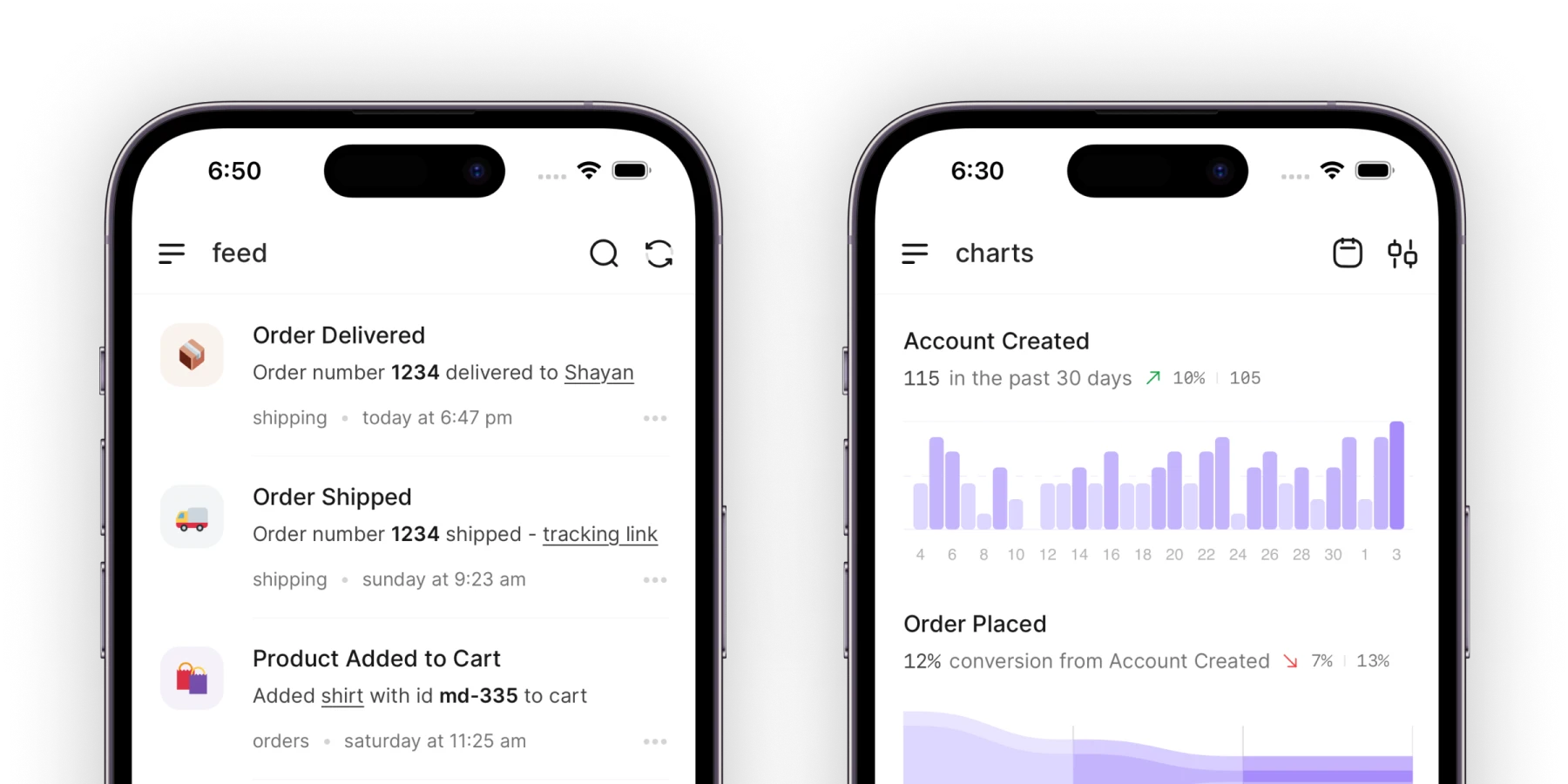
Explaining what changed and who it helps is much easier when you aren't starting from a blank editor. When your feedback board and product changelog share the same workspace, the requests you finished that week are already sitting there in your customers' own words.
In UserJot, every plan includes a public changelog page on your board with search, drafts, scheduling, a cover image, inline images, authors, and free-form tags, starting on the $0 Free plan with flat $29 and $59 monthly plans as you grow. When you mark a request Completed, everyone who voted on it gets an email. Open the changelog editor, and Juno lists the requests completed since your last post, reads them and their comments, and writes a draft with the title, tags, authors, and "Built from your feedback" links filled in so those public requests show right under your post. Juno never publishes on her own, and once you hit publish, our widget shows the new post inside your app and marks it unread. If you're comparing options for your team, see our roundup of the best changelog tools.


Frequently asked questions
What is a good changelog example?
A good changelog example tells the reader what changed in their terms, whether they need to take any action, and when the change takes effect. Ghost's custom fields announcement opens with three real publishing workflows before giving the settings path, Supabase's CLI v3 notice splits a breaking change into six scannable sections, and Kagi states the usage percentages behind removing a feature instead of pretending nobody used it.
What should a changelog entry include?
Every changelog entry should include a calendar date, a title or version number, a plain-English description of what works differently now, and whether the reader needs to do anything. Depending on the kind of update, include where to click in the app, before-and-after numbers for speed or quota changes, and links to your documentation or the customer request behind the feature.
How long should a changelog entry be?
Make the entry match the size and risk of the change. Slack's Mac security note is 10 words, Superhuman's mobile swipe gesture is 21 words, and Twilio's Voice API addition is 22 words, while Supabase's CLI v3 breaking change uses about 870 words to cover who is affected, what happens if you take no action, migration steps, and the rollout timeline.
How do you announce a breaking change in a changelog?
Put "Breaking Change" or the cutoff date right in the title, state who is affected and what breaks if they do nothing, and list the migration steps well ahead of enforcement. GitHub's pull_request_target deprecation puts "December 2" in the headline and schedules two short brownout windows weeks early so maintainers spot failing workflows before the permanent block lands.
Should a changelog include bug fixes?
Yes, whenever the bug affected something a user could see or hit in production. Zed's rule is to include a release note line only when a user can see or feel the difference, and the Linear and Raycast releases quoted above group 20 and 33 one-line fixes under area tags below the headline feature so affected customers can confirm a fix at a glance.
How often should you update a changelog?
Weekly or every other week. Linear recommends setting a weekly or biweekly schedule and trying not to slip, with one to three headline updates above the week's smaller fixes, and by January 2025 Railway had published 222 consecutive weekly changelogs without missing a week.