Release Notes Template: Six to Copy, With Real Examples
Shayan, Founder10 min read

Every software release notes template page I could find has the same problem. The blank template is there, the filled example is either missing or made up, and the two never share a structure. You get [Feature name] and [Benefit] in brackets, and then a screenshot of another company's changelog that was written to a different shape entirely.
Below are six templates, and under each one a real release note, quoted as it was published, with the same shape. All six are in one Markdown file you can download and paste into GitHub, Notion or Confluence as Markdown, or into Google Docs or Word as plain text.
If you want the reasoning behind the fields, the longer guide to release notes covers who reads them, what the good ones do, and the three real rewrites.
The release notes format, in one list
Across 60 release notes templates in circulation, from the top search results to GitHub gists and Confluence blueprints, the fields that appear most are bug fixes (35 of 60), new features (34), a version number (33), a date (30), a summary (26), a title (21), and improvements (17). Links to docs (11), known issues (10), a screenshot (10) and breaking changes (8) each appear in roughly one template in six or seven. A link to the customer request the change answers appears in two.
So a release note, built from the fields that appear most, plus the ones that matter when they apply:
- Title. Names the biggest change, not the release.
- Date. On every entry. A version number too, if your product has one users can see.
- Summary. One sentence, only when the entry has more than one change.
- What's new. One short paragraph per change: what you can do now, and what it was like before.
- Improved and Fixed. One line each, naming the thing that changed and the symptom it fixed.
- Breaking changes and action required. Labelled, first, when there are any.
- Links. The docs, and the request that asked for it.
Not every release needs all seven, and the templates below drop the ones each kind of release does not need.
1. Feature release template
For one new capability that deserves its own entry.
# [What you can do now, in the words a user would use]

[Date]

[What you can do now, in one or two sentences.] Previously, [what it was like before].

[One concrete case where this matters.]

Available on [plans or platforms]. [How to turn it on or where to find it.]

Built from this request: [link to the feedback request, if one exists]
[Link to the docs]
Real example: Linear, Priority inbox, September 3, 2026.
An active workspace can create a significant amount of notifications each day, and until now your inbox treated them all the same. The new Priority tab separates what needs your attention from what can wait, so something like a review blocking a release never gets buried.
The first sentence is the "previously" line, written before the change instead of after it. The second is what you can do now. The clause after "so" is the concrete case. Below that paragraph the same entry lists 26 improvements and 16 fixes as one-liners, which is the round-up template below stacked under a feature entry.
The line most templates leave out is the request link. Only two of the sixty templates have a field for it. If the feature came from a request on your feedback board, link it: the people who voted are the readers most likely to care, and the request is the "previously" in their own words.
2. Weekly round-up or agile release notes template
For teams that ship continuously and publish on a schedule. This is also what people mean by an "agile release notes template": one entry per sprint or week, grouped by kind of change.
# [Product] updates, [date or week]

[One sentence on the biggest change this period, if there is one.]

## New
- [What you can do now, one line each]

## Improved
- [Area]: [what is better, one line each]

## Fixed
- [Area]: Fixed [the symptom, as the user saw it]
Real example: Raycast, v2.10, October 28, 2026. The entry opens:
In this week's release, we've made a bunch of updates to Raycast Notes, some of which have been highly requested!
and its Fixes list includes:
AI Chat: Fixed a text scaling issue in "Ask Question" tool
AI Chat: Fixed run errors rendering above tool calls in some situations
AI Chat: Fixed failed image generations and remote tools appearing as completed
Raycast posts one of these a week, with New, Improvements and Fixes as the three headings. Each fix line names the area, then the symptom. The opening sentence is the weak part of this example: "a bunch of updates" and "highly requested" say nothing that the list below does not say better. Lead with the biggest change by name instead.
If you keep a CHANGELOG.md in a repository rather than a public page, use Keep a Changelog's headings instead of these three: Added, Changed, Deprecated, Removed, Fixed, Security, with an Unreleased section at the top and dates as YYYY-MM-DD.
3. Bug fix release notes template
For a patch, a hotfix, or any release that is only fixes. The rule is that every fix names what the user saw, not what the code did.
# [Version], [date]

Fixed: [what was broken, as the user saw it, with the screen or feature named].
[Who was affected, if not everyone.]
[What to do, or "No action is needed."]
Real example: 1Password for Mac, 8.12.33, August 12, 2026.
We've fixed an issue where the 1Password browser extension in Safari couldn't connect to the 1Password app.
It names the thing (the Safari extension) and the symptom (couldn't connect). On 1Password's page the sentence ends with an internal reference number, left off here.
Real example: Apple, iOS 27.0.1.
This update provides bug fixes for your iPhone, including fixes for the following issues: iPhone 18 Pro and iPhone 18 Pro Max may unexpectedly restart when Face ID fails to authenticate
It names the devices, the symptom and the trigger, so anyone who hit that bug knows the update is for them. The version of this that fails is "Bug fixes and performance improvements". When a release really was only fixes, say which bugs were fixed and what got faster.
For a security release, the same template, where the what-to-do line matters most. Obsidian, desktop 1.14.5, October 22, 2026: "This release updates Electron from 43.7.5 to 43.8.3, which includes several important security fixes. Download Obsidian from our website and reinstall the app."
4. Breaking change and API release notes template
For developer-facing changes: an API version, an SDK, a setting that changes behaviour, a deprecation.
# [Version or API date], [what changed]

**What's new.** [What the change does.] Previously, [what it replaced].

**Breaking:** [yes or no]. [Who is affected: which endpoint, field, SDK or setting.]

**What to do.**
1. [Upgrade step]
2. [Upgrade step]

[Rollback window or how to pin the old behaviour, if there is one.]
[Deprecation date, if the old behaviour is going away.]
[Link to the migration guide or API reference.]
Real example: Stripe, API version 2026-09-30, trial offers. The "What's new" section reads:
Adds Trial Offers for subscriptions, which define reusable free or paid introductory pricing for individual Subscription Items, each with their own price and billing period. Previously, a subscription used a single trial period for the entire subscription.
Stripe's page then labels the change Breaking or Non-breaking, lists the added and changed fields per SDK, and gives numbered upgrade steps. Each change in the release has its own page; this one is split into What's new, Impact, Changes, Upgrade and Related changes. The one line to never skip is "Previously": a developer deciding whether to upgrade needs the old behaviour named, not just the new one.
If a release has many breaking changes, put the upgrade steps in their own document and link it from the note. On Hacker News, one commenter put it as "+1 on separating 'how to upgrade' due to breaking changes from 'what's new'. A dedicated BREAKING.md / MIGRATIONS.md is a really good idea." That keeps the note readable for everyone else.
5. Rename, move or settings change template
For a change that is easy to forget to announce: something moved, got renamed, or changed its default.
# [Old name] is now [new name]

[Date]

[Old location] is now [new location]. [Old links or paths] still work. [What has not changed.]
Real example: Supabase changelog, September 21, 2026.
Database > Replication is now Database > Pipelines. Existing Replication URLs redirect to the new location. No API or pipeline behavior has changed.
Three sentences: what it is called now, whether old links still work, and what has not changed.
6. App Store and Google Play release notes template
For the "What's New" field. The two stores have different rules, and the template is written to pass both.
Apple's field takes up to 4,000 characters, is not available on an app's first version and is required on every version after, and its review guideline 2.3.12 allows a generic line for "Simple bug fixes, security updates, and performance improvements" but says "more significant changes must be listed in the notes." Google Play's field takes 500 characters per language, written between language tags, and Google's guidance says "Do not use release notes for promotional purposes or to solicit user actions."
So: under 500 characters, the real change first, no request to rate the app.
<en-US>
New: [the one change that matters, with the screen or feature named].
[Second change, if there is one.]
Bug fixes and stability improvements.
</en-US>
Real example: Bear, 3.0.3, October 22, 2026, in 199 characters.
New: A new toolbar now appears when you're entering tags or wikilinks, or searching for notes. It makes it easier to move the cursor and type special characters.
Bug fixes and stability improvements.
One real change with the feature named, then the generic line for the rest, which is exactly what Apple's rule permits. For comparison, Spotify's 9.1.94 note (October 23, 2026) is "We're always making changes and improvements to Spotify. To make sure you don't miss a thing, just keep your Updates turned on." and Instagram's 453.0 note (October 26, 2026) is "Performance optimizations and stability improvements for a smoother, more reliable experience." Neither names a feature, a screen or a fix.
Write the store note from your web release note, not from scratch. Linear's web entry for Priority inbox runs to about a thousand words while its App Store note for the same product says "Bug fixes and minor improvements", and that gap is the usual one. The web note already has the sentence; cut it down and paste it.
Fill the template from the requests you shipped.
In the changelog editor, Juno drafts the post from the requests you marked Completed; you publish it to your updates page and inside your app. Free, with unlimited users.
How to write release notes with these templates
The same five steps apply to all six templates.
- Start from the list of what shipped. Completed requests, closed tickets or merged pull requests, not the commit log. Commits are written for other engineers; a release note is written for the person who uses the product.
- Write each change as the sentence a user would say to a colleague. "You can now X." Then the before, if it helps: "Previously, Y."
- Name the thing. Every line gets a noun from the product: the screen, the setting, the endpoint, the device. If a line has none, it is filler and comes out.
- Say what to do, or that there is nothing to do. A rename, a security fix and an API change all need this line.
- Put the biggest change in the title. Readers skim titles, so name the change, not the release.
Then paste the store version, under 500 characters, from the same text.
Where the template fits in the loop
The templates above all have a line for the request the change answers, and that line is where a feedback board helps. If customers post and vote on requests, every completed one is a release note half written: the title is the request, the "previously" is the complaint, and the people who voted are the readers who will open it.
UserJot's changelog tool is built around that line. Marking a request Completed emails everyone who voted, and the post you publish links back to the request. In the editor, Juno drafts the post from the requests you completed since the last one, and you edit it before it goes out; it never publishes on its own.
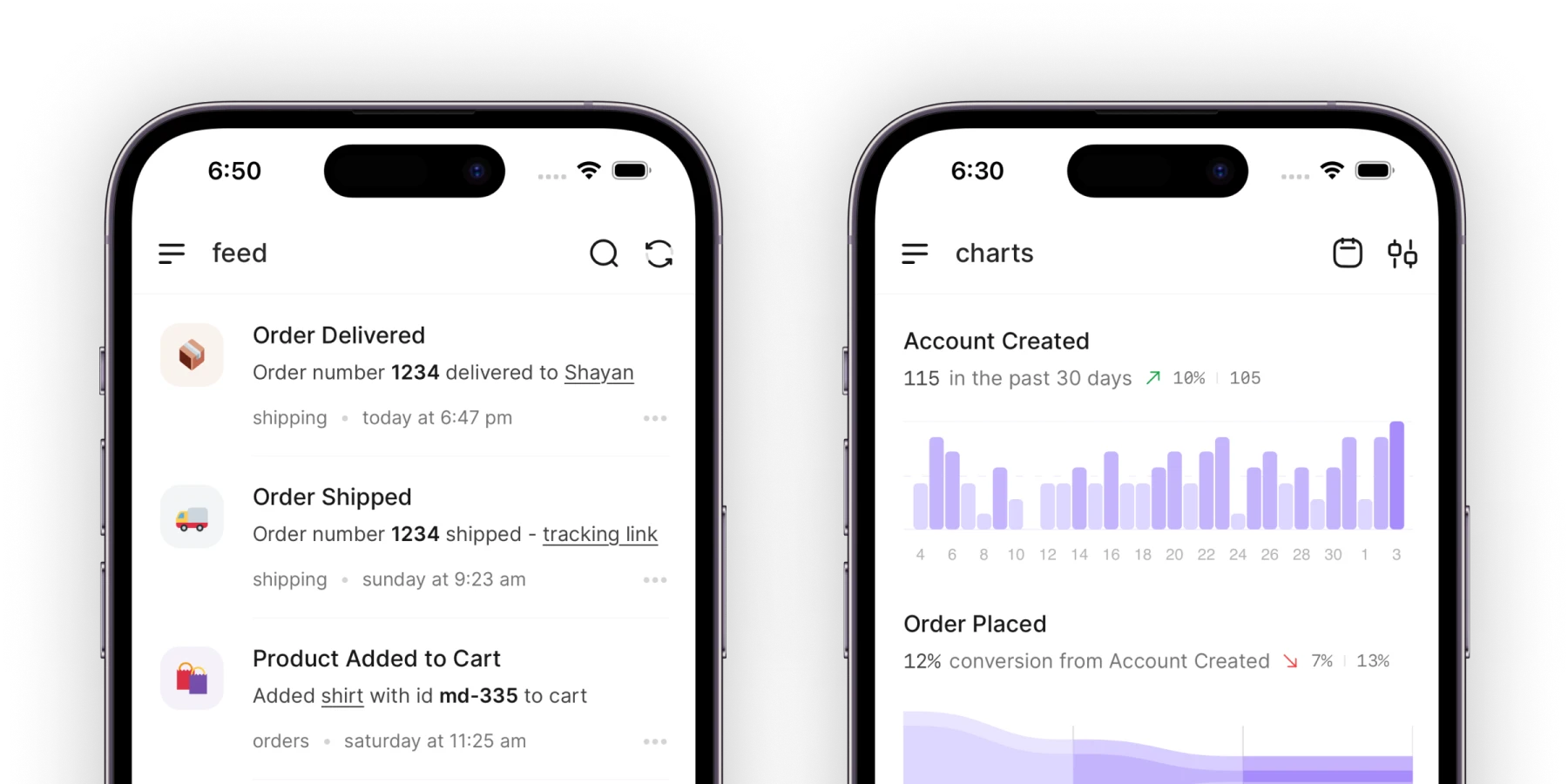


The published post appears on your updates page and inside your app through the widget, on every plan including the free one.
Frequently asked questions
Is there a release notes template for Word or Google Docs?
The Markdown file linked at the top opens in any text editor. Copy a template from it into GitHub, Notion or Confluence as Markdown; in Word or Google Docs, paste the text and set the headings by hand. The templates have no tables or merge fields, so nothing breaks in the paste.
What is the standard format for release notes?
There is no standard, but there is a convention: a title that names the biggest change, a date, one short paragraph per new feature with the old behaviour stated, one-line entries for improvements and fixes, breaking changes and required actions labelled and first, and links to the docs. For a CHANGELOG.md in a repository, Keep a Changelog's six headings (Added, Changed, Deprecated, Removed, Fixed, Security) with YYYY-MM-DD dates are the convention.
What is a good example of bug fix release notes?
1Password's "We've fixed an issue where the 1Password browser extension in Safari couldn't connect to the 1Password app." It names the component and the symptom. Apple's iOS 27.0.1 note names the devices, the symptom and the trigger. Both are better than "Bug fixes and performance improvements" because a reader who hit the bug can tell the fix is for them.
Where can I find a release notes sample?
The six quoted above are real and current: Linear for a feature release, Raycast for a weekly round-up, 1Password and Apple for bug fixes, Stripe for an API change, Supabase for a rename, and Bear for an App Store note. Each sits under the template it matches, so you can read the blank and the filled version together.
How long should release notes be?
As long as the list of changes a user can see. A rename is three sentences. A feature is a paragraph. A monthly round-up is however many one-line entries shipped. The App Store and Play Store text should stay under 500 characters so one version works for both.