Release Notes: How to Write Them, With Real Examples
Shayan, Founder20 min read
On October 26, 2026, Slack shipped version 4.53.269 of its Mac app. Its release notes read, in full: "We don't have anything in particular to call out for this release, but we thank you for staying up to date all the same." Two months earlier the note opened with "Nothing major to report this week. Nothing minor to report either, as it turns out." The same paragraph, two sentences longer than quoted here, also sat on the release before it, word for word.
Slack is not unusual. For this guide I went through the current release notes of about thirty products and the App Store text of a dozen apps. Most web pages were fine, and most store listings said nothing. The good pages shared a few habits, and the rest of this page goes through them.
Every example below is quoted as it appeared on October 29, 2026, with the filler left in, except where a cut is marked.
What are release notes?
Release notes are the short, dated write-up a team publishes when it ships a change, written for the people who use the product. They say what is new, what is different, what was fixed, and anything the reader has to do about it.
That is also roughly what people mean by a changelog, and in practice the two words name the same page. Linear calls its page a changelog, Figma calls it release notes, Notion calls it releases, and GitHub publishes its changelog on its blog. Where the terms are kept apart, the split is the one the Keep a Changelog project draws in its 2.0.0 preview:
A changelog is the complete, ongoing record: every notable change, across every version, kept in one file in the repository and written plainly for anyone. Release notes are an announcement for a single release: a curated selection of its headline changes, often with upgrade steps and a marketing voice, published when that version ships.
So the changelog is the running record and release notes are the announcement for one release. If you publish one entry per release on a public page, you are writing both at once, and nobody will mind which word you use. If you keep a CHANGELOG.md in a repository as well, that file follows the convention and the public page follows the reader. I wrote separately about how to write a changelog that people read.
One thing to clear up, because the top results for "what are release notes" copy it from Wikipedia: the list of sections there (header, overview, purpose, issues, issue summary, steps to reproduce, resolution, end-user impact, support impacts, notes, disclaimers, contact) describes an enterprise bug report from the era of boxed software. None of the thirty products I looked at publishes anything shaped like it. You can ignore it.
Who reads release notes
A common objection in threads about release notes is that nobody reads them. An Ask HN from December 2025 asking whether teams write one set of notes or several drew 50 comments, and several of them said exactly that.
The answer from a much older Stack Overflow thread still holds up. Asked what release notes are for, a reply with 16 votes said users "will read them to determine if they should go to the trouble of installing an incremental upgrade, or wait until the next release because this one doesn't add any features they need or fix any bugs in features that they were using."
That is the reader to write for: someone who has the product open, sees an update, and wants to know in ten seconds whether it changes anything for them. They are not reading for pleasure and they are not reading to be sold to. On the Writing Stack Exchange, the most upvoted answer on the tone of release notes put it this way: "Release notes should describe what changed as seen by the users." And later: "Release notes aren't a sales vehicle."
Three kinds of reader show up, and they want different things:
- End users want to know what they can do now and whether something they use moved or changed.
- Admins and buyers want to know what changed in permissions, billing, data handling, and anything they have to roll out to their team.
- Developers want the exact field, endpoint or flag, what replaces it, and the upgrade steps. Stripe's changelog is written for them alone and reads like it.
Whether to write one set of notes or several is one of the most asked questions, and my answer is one set. Write it for the person who uses the product, and when a release has breaking changes for developers, give those their own document. One reply in a later HN thread on automating release notes put it plainly: "+1 on separating 'how to upgrade' due to breaking changes from 'what's new'. A dedicated BREAKING.md / MIGRATIONS.md is a really good idea."
For what goes in the one set, the accepted answer on Software Engineering Stack Exchange is the rule I use: "A change log should tell end users why they should upgrade, not what changed in the code."
What goes in a release note
Across 60 release notes templates in circulation (the ones that rank in search, plus GitHub gists, Notion and Confluence templates, and the Aha and Atlassian ones), bug fixes appear in 35, new features in 34, a version number in 33, a date in 30, and a summary in 26. A link to the customer request the change answers appears in two.
Those counts are a decent map of what people expect, so here is the format I would use, in order:
- A title that names the biggest change. "Priority inbox", not "October update". Readers skim titles, and a title that says "Bug fixes" tells them to skip.
- The date, on every entry. Readers ask for it on the feedback forums of apps whose notes lack one. Spell the month out or use
2026-10-29. Either is fine, but pick one and keep it. - A version number, if your product has one users can see. Desktop apps, mobile apps, libraries and APIs do. Web apps mostly do not: Linear, Figma, Vercel, Supabase, Cursor and Framer show none.
- What's new, one short paragraph per change. What you can do now, and what it was like before. The "previously" sentence is the single most useful habit in the good examples below.
- Improvements and fixes as one-line entries. Each line names the thing that changed and who would have noticed.
- Breaking changes and anything the reader has to do, labelled, above everything else in the entry.
- A link to more: the docs, the guide, or the request that asked for it.
What stays out: internal refactors, tracker IDs, the commit list, and anything a user cannot see. The accepted answer on a Stack Exchange question about generating changelogs from version control covers it: "Commit messages in a version control repository have a different audience than change logs."
The release notes template post has these as six copyable blocks, one per kind of release, each with a real example under it.
If you also keep a CHANGELOG.md in a repository, Keep a Changelog's six headings (Added, Changed, Deprecated, Removed, Fixed, Security) are the convention, with an Unreleased section at the top and dates written as YYYY-MM-DD. The site still serves version 1.1.0 by default; 2.0.0 is a preview.
The best release notes examples, and what to copy
Each is quoted from the product's own release notes page, with the date.
Stripe, API version 2026-09-30, the entry that made trial offers generally available:
Adds Trial Offers for subscriptions, which define reusable free or paid introductory pricing for individual Subscription Items, each with their own price and billing period. Previously, a subscription used a single trial period for the entire subscription.
Two sentences: what it does, and what it replaces. Stripe's changelog labels every change in the release Breaking or Non-breaking, and each change's page splits the detail into What's new, Impact, per-SDK Changes and Upgrade, and links the API reference. It is the best developer release note I found, and the "Previously" sentence is the reason.
Linear, September 3, 2026, Priority inbox:
An active workspace can create a significant amount of notifications each day, and until now your inbox treated them all the same. The new Priority tab separates what needs your attention from what can wait, so something like a review blocking a release never gets buried.
Problem first, then the change, then one concrete case. Nothing in it is marketing, and a reader who has never had a review buried still understands why the tab exists. Below the paragraph the same entry lists 26 improvements and 16 fixes as one-liners.
Supabase, September 21, 2026:
Database > Replication is now Database > Pipelines. Existing Replication URLs redirect to the new location. No API or pipeline behavior has changed.
A rename, and the two things a reader worries about on a rename, answered in the same breath: old links still work, and nothing else changed.
GitHub, September 11, 2026:
Your GitHub profile now displays the highest tier you've earned for achievements with multiple levels. Previously, profiles could display the first tier earned, even after you had progressed to a higher level.
The same now-then-previously shape, on a small change. GitHub also labels each changelog entry Release, Improvement or Retired, so a reader scanning the index knows which ones to open.
Vercel, October 28, 2026. The index shows a title and a one-line summary:
Vercel Container Registry now supports 2 GB compressed image layers.
Push compressed image layers up to 2 GB, up from 500 MB.
It gives the new limit and the old one. Vercel posts several of these a day, and the format is why that works.
Obsidian, desktop 1.14.5, October 22, 2026:
This release updates Electron from 43.7.5 to 43.8.3, which includes several important security fixes. Download Obsidian from our website and reinstall the app.
A security release that tells you what to do. Compare the Apple iOS 27.0.1 note, which does the same thing for a bug: "This update provides bug fixes for your iPhone, including fixes for the following issues: iPhone 18 Pro and iPhone 18 Pro Max may unexpectedly restart when Face ID fails to authenticate". It names the devices, the symptom and the trigger. Anyone who hit that bug knows this update is for them.
Release notes examples to avoid
Slack for Mac, 4.53.269, October 26, 2026:
We don't have anything in particular to call out for this release, but we thank you for staying up to date all the same.
Slack for Mac, 4.52.155, August 31, 2026, and again on 4.51.191 two weeks earlier, the first two of its four sentences:
Nothing major to report this week. Nothing minor to report either, as it turns out.
The page is a dated, versioned, public release notes page, which is the right thing to have. The entries on it say nothing, twice. Slack's iOS notes do the same with more words. The current one, 26.10.40: "We tweaked some things too small to notice or too difficult to explain. We'll return you to your regular, more interesting types of release next time (we hope)."
Spotify, 9.1.94, App Store, October 23, 2026:
We're always making changes and improvements to Spotify. To make sure you don't miss a thing, just keep your Updates turned on.
Instagram, 453.0, App Store, October 26, 2026:
Performance optimizations and stability improvements for a smoother, more reliable experience.
YouTube, 21.43.5, App Store, October 27, 2026:
Fixed bugs, improved performance, took the afternoon off.
WhatsApp, 26.42.74, App Store, October 26, 2026:
We update the app regularly to fix bugs, optimize performance and improve the experience. Thanks for using WhatsApp!
None of these names a change. They are, as one HN commenter put it about notes like these, "informationally identical to a release note that just says 'New release.'" A reader can learn nothing from them except that an update exists, which they already knew.
The writing stays on the web page and never reaches the store. Linear's web changelog entry for Priority inbox runs to about a thousand words with 44 itemised lines; Linear's App Store note for the same product reads "Bug fixes and minor improvements". Notion's release page is long and specific; Notion's App Store note is "Bug fixes and performance improvements."
And when a release really was only fixes? In a June 2026 HN thread on release notes for non-technical users, one reply to that question answered it directly: "What bugs were fixed? What was made faster? If I was experiencing some bugs or slowness, I would be happy to see my issue may have been addressed in the release. If it says the issue was fixed, and I still see an issue, that's a reason to send some feedback again." Name the bugs, because the people who hit them are the ones reading.
Write the release note from the requests you shipped.
Juno, the assistant in UserJot's changelog editor, drafts the post from the requests you completed. The post shows on your public updates page and inside your app. Free, with unlimited users.
How to write release notes: three real rewrites
About ten of the forty-odd pages ranking for these searches show a before-and-after pair, and in every one the "before" was invented. Here are three real ones. Nothing in the rewrite is added; everything in it was in the original.
Slack for iOS, 26.09.10, September 2, 2026, under Bug Fixes. Before:
Forwarded emails were crashing the party in disguise, showing up in channels wearing the icon and name of totally unrelated apps. Turns out that's not appropriate business attire. The masquerade is over, and these emails will now be clearly labeled as themselves.
After:
Fixed: forwarded emails in channels showed the icon and name of an unrelated app. They are now labeled as emails.
Forty-two words to twenty. The original has a real fix inside it, which is more than the Mac notes above can say. The two joke sentences bury "forwarded emails" and "unrelated apps", the two phrases a reader would search for.
Discord, October 22, 2026, Better Markdown Previews. Before:
When you upload a Markdown (.md) file, you'll now see the file rendered all nice and neat and pretty instead of with a bunch of symbols. This includes tables, formatting, all that good stuff. Totally great for when you're doing a casual Sunday-night sharing READMEs with your friends.
After:
Uploaded Markdown (.md) files now render as formatted text, including tables, instead of showing the symbols.
The voice is Discord's and they are entitled to it. But the third sentence is there to fill space, and "all that good stuff" is where the list of what renders should have been.
1Password for Mac, 8.12.33, August 12, 2026. Before:
We've fixed an issue where the 1Password browser extension in Safari couldn't connect to the 1Password app. !40819
After:
We've fixed an issue where the 1Password browser extension in Safari couldn't connect to the 1Password app.
This one is nearly right already. It names the thing (the Safari extension), the symptom (couldn't connect) and the fix. The reference number at the end is for 1Password's engineers, and the people reading a public release page are not them. Keep it in the internal log, where someone can click it.
The method behind the rewrites, as steps:
- Start from what shipped, not from the commits. Your list of completed requests, closed tickets or merged pull requests is the source. Commits are too fine-grained and written for a different reader.
- For each change, write the sentence a user would say to a colleague. "You can now X." Then add the before, if it helps: "Previously, Y."
- Say what the reader has to do, or that there is nothing to do. Supabase's "No API or pipeline behavior has changed" and Obsidian's "Download Obsidian from our website and reinstall the app" are both this sentence.
- Cut every sentence without a noun from the product in it. A Stack Exchange answer on release notes gave the reason: "every additional sentence loses another 10% of the readers. So you must strictly prioritize what your current users need to know about the release."
- Put the biggest change in the title and the first line. Most readers see nothing else.
- Read it as the person who asked for the change. Would they recognise their request? If so, link it. If you cannot tell who asked, that is a sign the entry is describing code rather than a change someone wanted.
Can you generate release notes from commits?
This is the most repeated question across the threads I read, by a wide margin, and most practitioners give the same answer. A commit and a release note answer different questions. One HN comment from 2022 drew the line: "The purpose of a git commit message is to answer the question 'why does this commit exist?'" and then: "The changelog, on the other hand, answers the question 'why does the customer care about these changes?'"
Keep a Changelog 2.0.0 says the same in its own words: "Do not use a list of commits as a changelog. It is full of noise: merge commits, unclear messages, internal changes. A commit records a step in the source code. A changelog entry records a notable difference, often across several commits, written for the people who use the software." On tool output specifically: "A generated changelog is raw material at best".
That is what the tools give you, and raw material is still useful. GitHub's "Generate release notes" button produces, in GitHub's words, "a list of merged pull requests, a list of contributors to the release, and a link to a full changelog", grouped by label if you configure one. release-please, semantic-release, git-cliff and conventional-changelog read Conventional Commits (feat:, fix:, BREAKING CHANGE:) and produce a categorised list, and some of them work out the next version number as well. For a library's CHANGELOG.md that is often enough. For a product's public release notes it is the first draft.
One workflow that works is the one rclone's maintainer described on HN: "I try to encourage all contributors to make the first line of their commit message be something a user would like to read in the changelog. Instead of fixed nil pointer error have fixed crash when copying file to xyz backend." A script drafts the changelog from those first lines, and the maintainer then spends about an hour per release removing the noise. Keep a Changelog 2.0.0 puts the same split in six words: "machines can draft, but humans curate."
For a SaaS product there is a better source than commits: the list of things you shipped, which usually lives on your feedback board or in your tracker. That is what UserJot's editor assistant drafts from. It reads the requests you marked Completed since the last post, with their comments, and writes the entry, which you edit before publishing. The draft starts from what the customer asked for, which is where the "previously" sentence comes from.
App release notes: the App Store and Google Play
App release notes have rules, and the two stores disagree with each other.
Apple. The What's New field is "Limited to 4000 characters." App Store Connect does not offer it on an app's first version, and it is "required for all subsequent versions." The App Store Review Guidelines, 2.3.12, say: "Apps must clearly describe new features and product changes in their 'What's New' text. Simple bug fixes, security updates, and performance improvements may rely on a generic description, but more significant changes must be listed in the notes." Apple's own product page guidance goes further and asks you to "add call-to-action messaging that gets users excited about the update."
Google Play. The release notes field takes "up to 500 Unicode characters per language", written between language tags on their own lines:
<en-US>
Fixed: forwarded emails in channels showed the icon of an unrelated app.
</en-US>
Google's guidance is two sentences: "Inform users about recent updates made in your release. Do not use release notes for promotional purposes or to solicit user actions."
So Apple asks for a call to action and Google bans one. The way through is to write the Play version first: under 500 characters, no "tap to rate", the one change that matters in the first line. That text passes both stores unchanged.
Why do large apps write nothing? The theories in the HN threads are that the field is required so teams paste a default, that reviewers read the notes for reasons to reject an update so vague is safer, and that most users have auto-update on and never see the text. All three are probably true somewhere, and none of them applies to a product whose users chose it and want to know what changed. Apple's rule, read plainly, permits the generic line only for simple fixes.
The store note done well is short and specific. Bear, 3.0.3, October 22, 2026, in 199 characters: "New: A new toolbar now appears when you're entering tags or wikilinks, or searching for notes. It makes it easier to move the cursor and type special characters." followed by "Bug fixes and stability improvements." One real change, then the generic line for the rest, which is what 2.3.12 allows.
Where to publish release notes, and what the page needs
Of the thirty products, most publish on a page of their own site (Linear, Figma, Notion, Vercel, Supabase, Cursor, Framer, Raycast). Stripe and VS Code publish in their docs. Tailwind uses GitHub Releases. Discord and Chrome use blog posts. 1Password runs a releases site with a section for each platform. Superhuman posts a monthly thread in its community forum. Several of them also push the same notes to a feed, to the app stores, and to a panel inside the app.
Whichever you pick, the page itself needs a few things, and these are the ones I would check first:
- Newest first, with a date on every entry. Readers ask for dates when a page leaves them out.
- A permanent link per entry, so an entry can be sent to a customer or linked from a support reply.
- A type label (Supabase's New Feature, Breaking Change, Bug Fix, Improvement, Deprecation, Policy; GitHub's Release, Improvement, Retired) and a product-area tag, so a reader who only cares about the API can filter to it.
- A feed. Vercel, Linear, Obsidian, 1Password and Figma all offer one. Readers who use feeds ask for one when it is missing.
- An in-app surface. Most users will never visit the page. Discord puts the same notes under Settings in the app; Linear sends a notification. A feedback widget that shows the latest post is the cheapest version of this.
Release notes design, in the sense of how the page looks, matters less than those five. The best pages in the set are plain: a date, a title, a paragraph, a list.
Release notes best practices
The habits from the good examples, as a checklist you can hold a draft against:
- The title names the biggest change.
- Every entry has a date, and the newest is on top.
- Each change says what you can do now and, where it helps, what it was like before.
- Each fix names the thing that was broken and the symptom, not the cause in the code.
- Renames and moves say that old links still work and what did not change.
- Security and breaking changes say what the reader has to do, first.
- Breaking changes are labelled, and a release with many of them gets a separate upgrade document.
- No tracker IDs, commit hashes or internal names on the public page.
- No sentence without a noun from the product in it.
- The App Store and Play Store text is written from the web note, not from scratch, and stays under 500 characters.
- Where a customer asked for the change, the entry links to the request.
From the request to the release note
The last item on that list is the one only two of the sixty templates include and the one that makes the rest easier to write. If you collect feedback on a public board, each completed request gives you the entry's title, its "previously" sentence from the complaint, and its most interested reader, the person who voted.
That is how UserJot's changelog tool is built. When you mark a request Completed, everyone who voted on it gets an email. The changelog post you write links back to that request, and the editor assistant, Juno, drafts the post from the requests you completed since the last one, in the editor, for you to edit before it goes out.
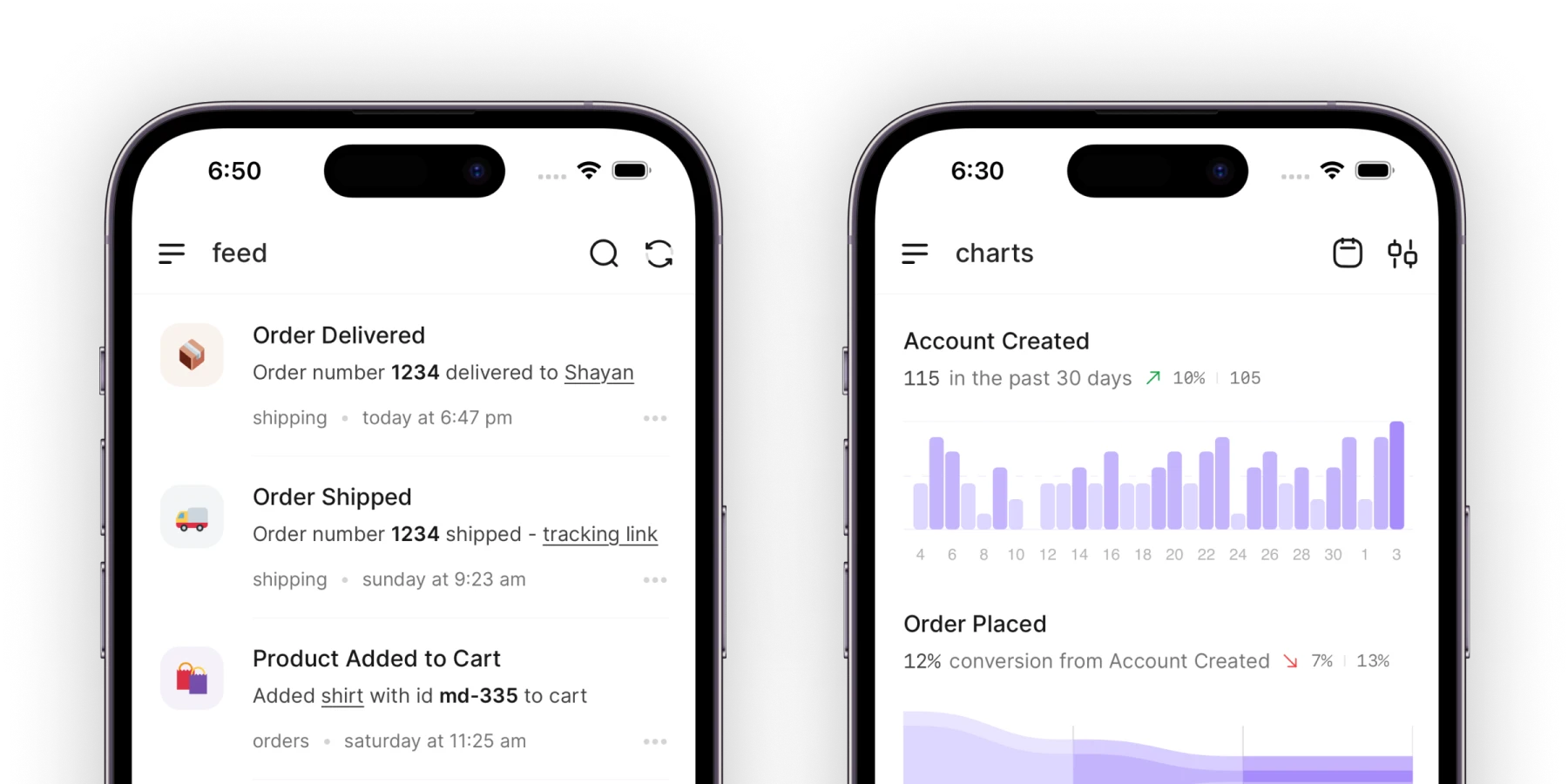


The draft is in the editor, highlighted, until you accept it. The published post appears on your public updates page and inside your app through the widget, so people who never visit the page are told there is a new post. Publishing is on every plan, including the free one, with unlimited users.
Frequently asked questions
What is the difference between release notes and a changelog?
A changelog is the complete, running record of every notable change across every version. Release notes are the announcement for one release, usually a curated selection of its headline changes with any upgrade steps. In practice most SaaS products publish one page of dated entries and call it either name. The distinction matters mainly when you also keep a CHANGELOG.md in a repository, which follows the Keep a Changelog convention while the public page follows the reader.
How long should release notes be?
As long as the list of changes a user can see, and no longer. Vercel's index entries are a title and one sentence. Linear's headline entries are a few paragraphs plus one-line improvements and fixes. VS Code's notes for a version run to several thousand words because the release has that many visible changes. Length should follow the release.
Who should write release notes?
Whoever can describe the change as the user sees it, which is usually a product manager, a technical writer, or the engineer who built it with an editor's pass. Commit messages and pull request titles are the raw material, not the note. One arrangement that comes up in the threads is that the person who closed the request writes the line, and one person edits the release into a single voice before it is published.
How often should you publish release notes?
Whenever you ship something a user can see. Vercel and GitHub post several entries a day, Raycast posts weekly, Stripe batches API changes into named versions. The cadence that fails is the one where notes are written long after the release, from memory. Write the entry when the change ships, and publish on whatever rhythm your users expect updates.
Are release notes required on the App Store?
Yes, after the first version. Apple's What's New field is not available on an app's first version and is required on every version after it, with a 4,000-character limit. Google Play's release notes field allows 500 characters per language. Apple permits a generic description for simple bug fixes and performance updates but requires that significant changes be listed.