What Is a Feedback Board? The Complete Guide for SaaS Teams
Shayan, Founder17 min read

Picture this: Your biggest customer emails a feature request. You forward it to Slack. Someone says "good idea" and it scrolls away. Three months later, that customer churns. In the exit survey, they mention the feature you never built. The one sitting in a Slack thread nobody can find.
This happens constantly. Feature requests live in email threads, support tickets, Slack messages, and that Google Sheet someone started and forgot about. The feedback exists. It's just buried.
A feedback board fixes this. It's a single place where users can submit ideas, vote on features they want, and see what's planned. Simple concept, big impact.
What Is a Feedback Board?
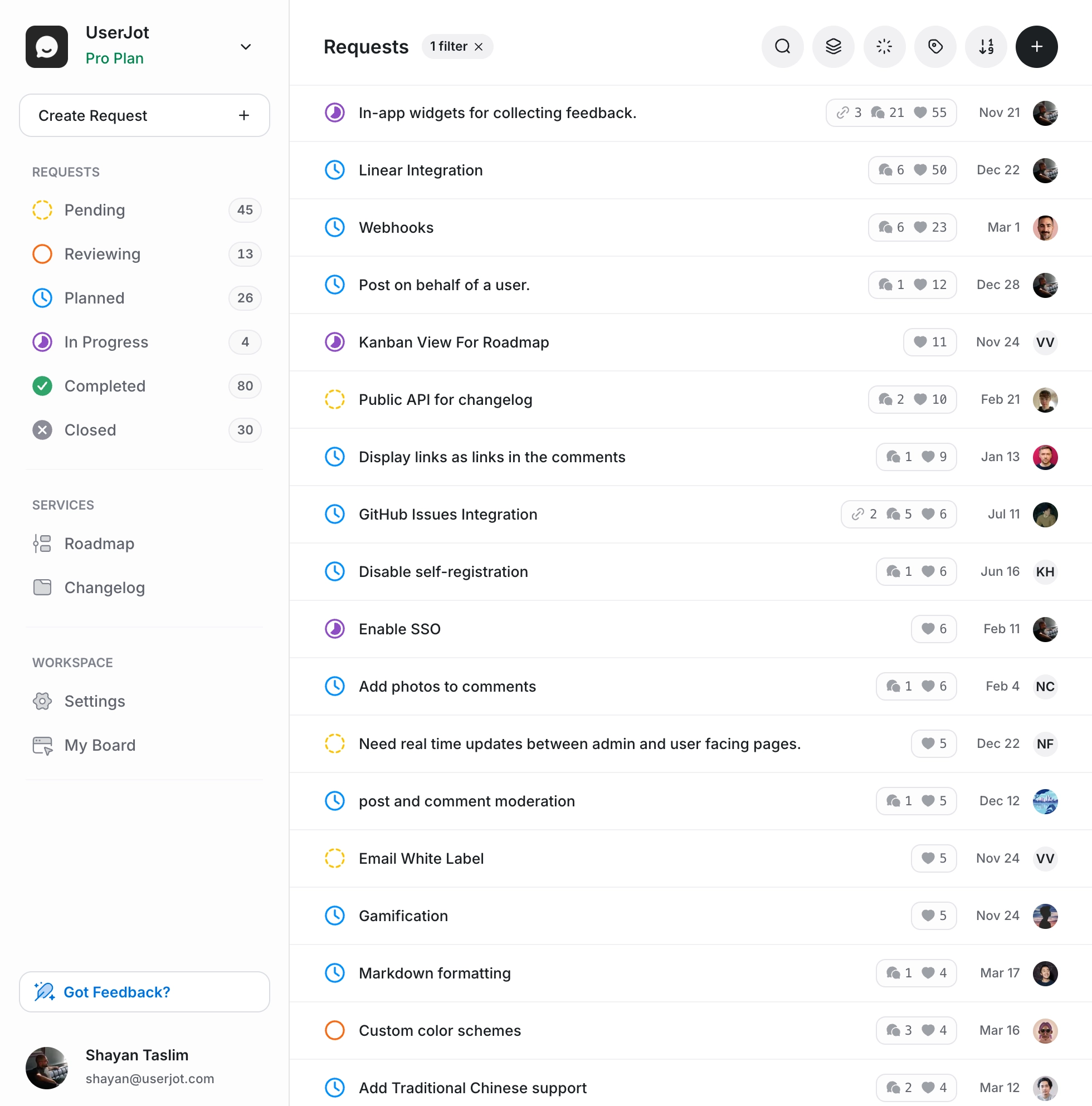
A feedback board is a dedicated space where your users can submit feature requests, report issues, and vote on ideas from other users. Think of it as a public (or private) suggestion box that organizes itself.
Instead of feedback living in email threads, Slack messages, support tickets, and random spreadsheets, everything goes to one place. Users see what others have requested. They can add their vote instead of submitting duplicates. And you see exactly which features have real demand behind them.
The best feedback boards do a few things well:
- Collect feedback from users without friction
- Organize requests by status, category, or popularity
- Surface demand through voting and engagement
- Close the loop by showing users what you're building
Most feedback boards also connect to a public roadmap and changelog, so users can track their requests from idea to shipped feature.
How Feedback Boards Work
The mechanics are straightforward. Here's the typical flow:
1. A user has an idea. Maybe they want a dark mode. Maybe they found a bug. Maybe they need an integration with their favorite tool.
2. They submit it to your feedback board. This could be through a public board on your website, an embedded widget in your app, or a link you share with customers.
3. Other users find it and vote. Someone else wants dark mode too? They upvote instead of submitting a duplicate. Now you have two data points instead of two separate tickets.
4. You review and prioritize. With feature request tracking, the ideas with the most votes and engagement rise to the top. You see patterns. You make informed decisions about what to build next.
5. You update the status. When you start working on something, you mark it as "In Progress." Users who voted get notified. They know you're listening.
6. You ship and close the loop. The feature goes live. Users get notified. It appears in your changelog. The people who asked for it feel heard.
That last step matters more than most teams realize. When users see their feedback turn into real features, they stick around. They submit more ideas. They tell others about your product. It's a flywheel.
Stop guessing what to build. Let your users vote.
UserJot keeps feedback, roadmap, and changelog in one simple loop.
Why SaaS Teams Use Feedback Boards
You could keep managing feedback in spreadsheets. You could keep telling users to email you. But here's what happens when you do:
Feedback gets lost. That great idea someone mentioned in a support ticket three months ago? Gone. Buried under newer tickets. Nobody remembers it until a competitor ships the same feature.
You build for the loudest voices. Without a way to measure demand, you end up prioritizing whoever complains the most or whoever has the biggest account. That's not strategy. That's squeaky wheel syndrome.
Users feel ignored. They send feedback into the void. They never hear back. They assume you don't care. Eventually, they stop sharing ideas altogether. Or they leave.
Your team wastes time. Product managers dig through Slack. Support reps forward emails. Engineers get interrupted with "quick questions" about feature requests. Everyone's busy, but nothing's organized.
A feedback board solves these problems. Not with magic, just with structure.
The Numbers
Teams using feedback boards typically see:
- More feedback submissions. When there's a clear place to share ideas, people use it. Our customers report 40% more feedback after setting up a board.
- Lower churn. Users who see their requests acknowledged and shipped are more likely to stick around. Closing the feedback loop reduces churn by roughly 10%.
- Time saved. No more hunting through channels and inboxes. Product managers save around 5 hours per week on average.
- Better prioritization. Votes don't lie. You can see what actually matters to your user base, not just what one person mentioned once.
The Money Math
Here's what most people miss: a feedback board isn't a cost. It's validation infrastructure.
Every feature you build without user input is a gamble. Some pay off. Many don't. The ones that don't cost you engineering time, opportunity cost, and sometimes customers who wanted something else.
Consider: building the wrong feature might cost you 2-4 weeks of engineering time. At typical SaaS salaries, that's $10,000-$30,000 per wrong bet. How many wrong bets do you make per year?
A feedback board with 200 votes on a feature is 200 data points saying "yes, build this." That's not a guarantee, but it's a lot better than "the CEO thinks it's a good idea."
The math works out. Even preventing one misdirected sprint per quarter pays for most feedback tools many times over. And that's before counting the retention benefits of users feeling heard.
Feedback Boards vs Other Methods
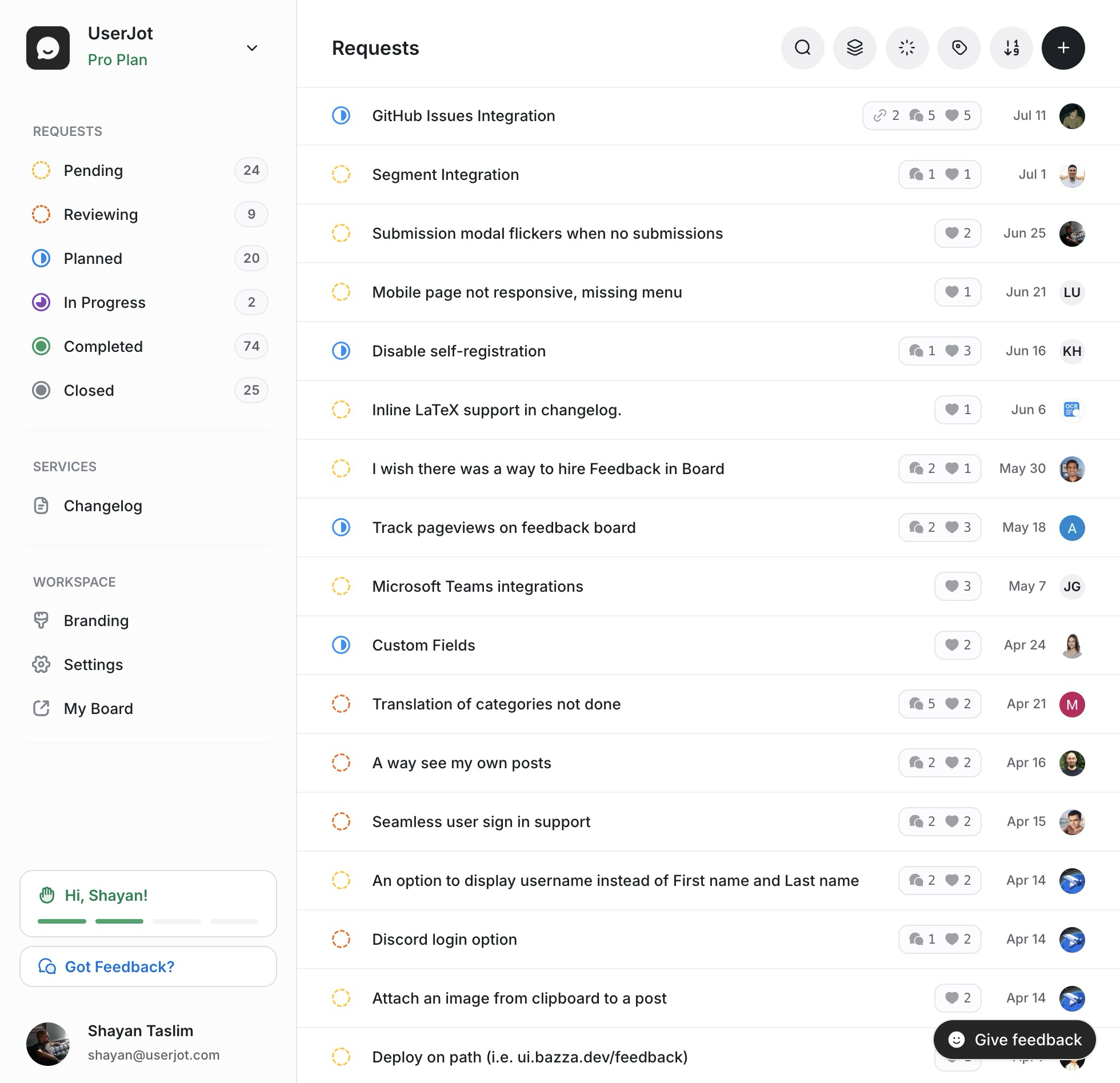
You have options for collecting feedback. Here's how they compare.
Feedback Board vs Email
Email feels personal, but it doesn't scale. Each request exists in isolation. You can't see patterns. Users can't see what others have asked for. And unless you're diligent about logging everything, requests get lost.
A feedback board makes feedback visible. Users search before they submit. Duplicates merge automatically. You get signal instead of noise.
Feedback Board vs Spreadsheets
We've all seen this movie. Someone creates "Feature Requests Master List" in Google Sheets. They add columns for priority, status, requester, date. It looks organized. For about two weeks.
Then reality hits. The PM forgets to update it after a meeting. Someone adds a row but doesn't fill in all the columns. There are three entries for basically the same feature, worded differently. Engineering asks "is this still relevant?" and nobody knows because the person who added it left the company. The spreadsheet becomes a graveyard of good intentions.
Meanwhile, your users have no idea this spreadsheet exists. They can't add to it. They can't vote. They keep emailing the same requests, and you keep manually logging them (or not).
Spreadsheets cost more than you think. Not in dollars, but in time. A PM spending 3 hours a week maintaining a feedback spreadsheet is burning $15,000+ per year in salary on data entry. That's before counting the cost of wrong decisions made with stale data.
Feedback boards update themselves. Users add their own input. Votes accumulate automatically. The data stays fresh because users keep it fresh.
Feedback Board vs Slack/Discord
Great for real-time conversation, terrible for tracking requests. Ideas scroll past. Nothing gets logged unless someone copies it somewhere else. And good luck finding that feature request from two months ago.
Some teams create dedicated channels for feedback. Better than nothing, but still no voting, no organization, no way to close the loop.
Feedback Board vs Surveys
Surveys are good for specific questions. "How satisfied are you?" or "What's your biggest challenge?" They're not good for ongoing feature requests.
Users can't see what others have suggested. There's no way to vote. And surveys require you to ask the right questions. A feedback board lets users tell you what you didn't think to ask.
Feedback Board vs Support Tickets
Support tickets capture problems, not opportunities. They're reactive. By the time something becomes a ticket, it's usually a complaint.
Feedback boards capture ideas proactively. Users share what they wish existed, not just what's broken.
The best setup combines these. Your support team flags common requests and routes them to your feedback board. Your feedback board captures the ideas that never make it to support.
The Problem Nobody Talks About: Zombie Roadmaps
Here's a dirty secret about feedback boards: most of them become graveyards.
Teams set them up with good intentions. Users submit ideas. Votes accumulate. And then... nothing. The feedback sits there. Status fields say "Under Review" for 18 months. The roadmap fills up with items nobody's actually working on. Users check back, see the same stale list, and stop believing anything will ever ship.
This is the workflow problem. Collecting feedback is easy. Processing it is hard. And most feedback tools treat the backlog as a passive list instead of an active queue.
What Good Workflow Actually Looks Like
The difference between a healthy feedback system and a dead one comes down to how you process items. Not occasionally. Continuously.
Triage incoming feedback like email. New submissions shouldn't pile up in a "Pending" bucket for weeks. They need a forcing function. Every new item gets one of three decisions: close it (spam, duplicate, out of scope), merge it with an existing request, or accept it for review. Then move to the next one. Inbox zero for feedback.
Make planning honest. Here's an uncomfortable question: how many items are on your roadmap right now? If the answer is 47, your roadmap isn't a plan. It's a wish list. Good systems push back. They warn you when you're overcommitting. "You already have 20 planned items. Adding more makes your roadmap less realistic." That friction is a feature.
Limit work in progress. Same principle. If you have 8 items "In Progress," you don't have 8 items in progress. You have 8 items stuck. Healthy systems cap active work and force you to finish before starting more.
Catch items going stale. That feature request marked "Planned" 6 months ago? Either it's happening or it isn't. Good tools surface these zombie items and force a decision: keep it (and reset the clock) or close it (and be honest with users). No more silent abandonment.
Close the loop by default. When something ships, the next action shouldn't be "update the status and move on." It should be "notify the users who asked for this." Better yet: prompt you to write a changelog entry so users hear about it. The people who requested the feature should be the first to know it exists.
Why This Matters
A feedback board with passive status tracking is a suggestion box with a web interface. A feedback board with active workflow support is a product management system.
The difference shows up in your roadmap credibility. When users see items actually move through stages and ship, they trust the system. They submit more feedback. They stick around longer. When they see the same "Planned" items for a year, they stop participating.
How UserJot Solves This
We built UserJot to force decisions, not collect dust.
New feedback doesn't land on your roadmap. It lands in Triage. You see one item at a time and you have three choices:
- Accept moves it to Review for deeper evaluation
- Merge combines it with an existing request (our AI shows you similar items)
- Close archives it with a note
Pick one, and you automatically advance to the next item. It's inbox zero for feedback. The backlog can't silently grow because you have to touch every item.
From there, each stage has its own focused choices. Here's what the triage bar looks like for new submissions:
New submission lands in Triage
Three choices. Pick one, auto-advance to the next item.
No status dropdown with 15 options. Just the 2-3 decisions that matter at each phase.
The system also keeps you honest. Try to add a 21st item to your roadmap and you'll see a warning: "You already have 20 planned items. Adding more makes your roadmap less realistic." Have 6 things in progress? "Focus on finishing before starting more." Item been sitting in Planned for 90 days without movement? It gets flagged:
Stale item detected
Force a decision. No more zombie roadmaps.
And when you finally ship? The system prompts you to close the loop:
Feature shipped
Users who requested it hear about it first.
This is the difference between a feedback board and a feedback system. One collects. The other processes.
Whatever tool you choose, look for active workflow support. The collection part is solved. The processing part is where most teams fail.
What to Look for in Feedback Board Software
Not all feedback boards are equal. Here's what matters.
Easy Submission
If it's hard to submit feedback, people won't do it. Look for:
- Guest posting so users don't need accounts to contribute
- In-app widgets that capture ideas without leaving your product
- Simple forms with minimal required fields
The goal is zero friction. The moment someone has an idea, they should be able to share it.
Smart Organization
Raw feedback is overwhelming. Good software helps you manage it:
- Duplicate detection that catches similar requests automatically
- Auto-tagging to categorize by feature area
- Status tracking (Pending, Planned, In Progress, Completed, Closed)
- Search that actually works
You shouldn't spend your time sorting and tagging. The tool should do that.
Voting That Shows Real Demand
Votes are the core of any feedback board. Users upvote ideas they want. The popular ones rise.
But votes alone aren't enough. You also want to see:
- Who's voting (Are these paying customers? Free users? Enterprise accounts?)
- Comments and discussion (What's the context behind the request?)
- Engagement over time (Is this gaining momentum or stale?)
Some tools let you weight votes by customer value. A request from a $10K/year customer might matter more than one from a free user. Depends on your business.
Workflow Integrations
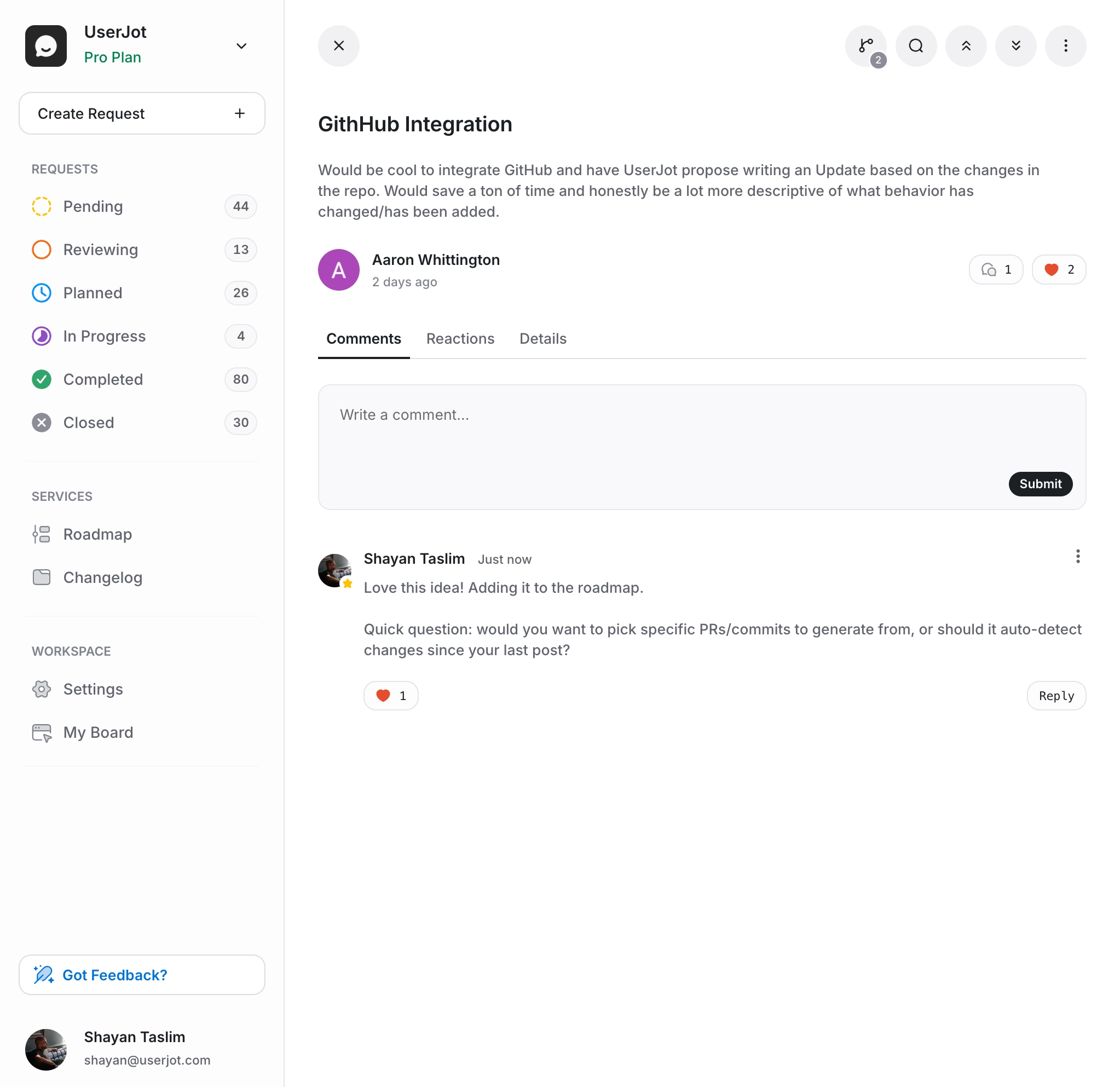
Your feedback board shouldn't be an island. It needs to plug into where your team actually works.
Project management: When a feature request gets prioritized, you want a Linear issue or Jira ticket created automatically. No copy-pasting. No "I forgot to create the ticket." The feedback board should push work into your existing system.
Communication: New high-priority feedback? Your team should hear about it in Slack or Discord without someone manually forwarding messages. Status changes, new comments, trending requests: all of this can flow to wherever your team pays attention.
Development: Some teams connect feedback boards to GitHub. A request gets shipped? The PR closes and the feedback status updates. Users get notified. Nobody had to remember to do anything.
The best feedback boards handle these connections natively. Look for Slack, Linear, Jira, Discord, and webhook support at minimum. If your tool requires Zapier for basic integrations, you'll spend more time maintaining automations than reviewing feedback.
Roadmap Integration
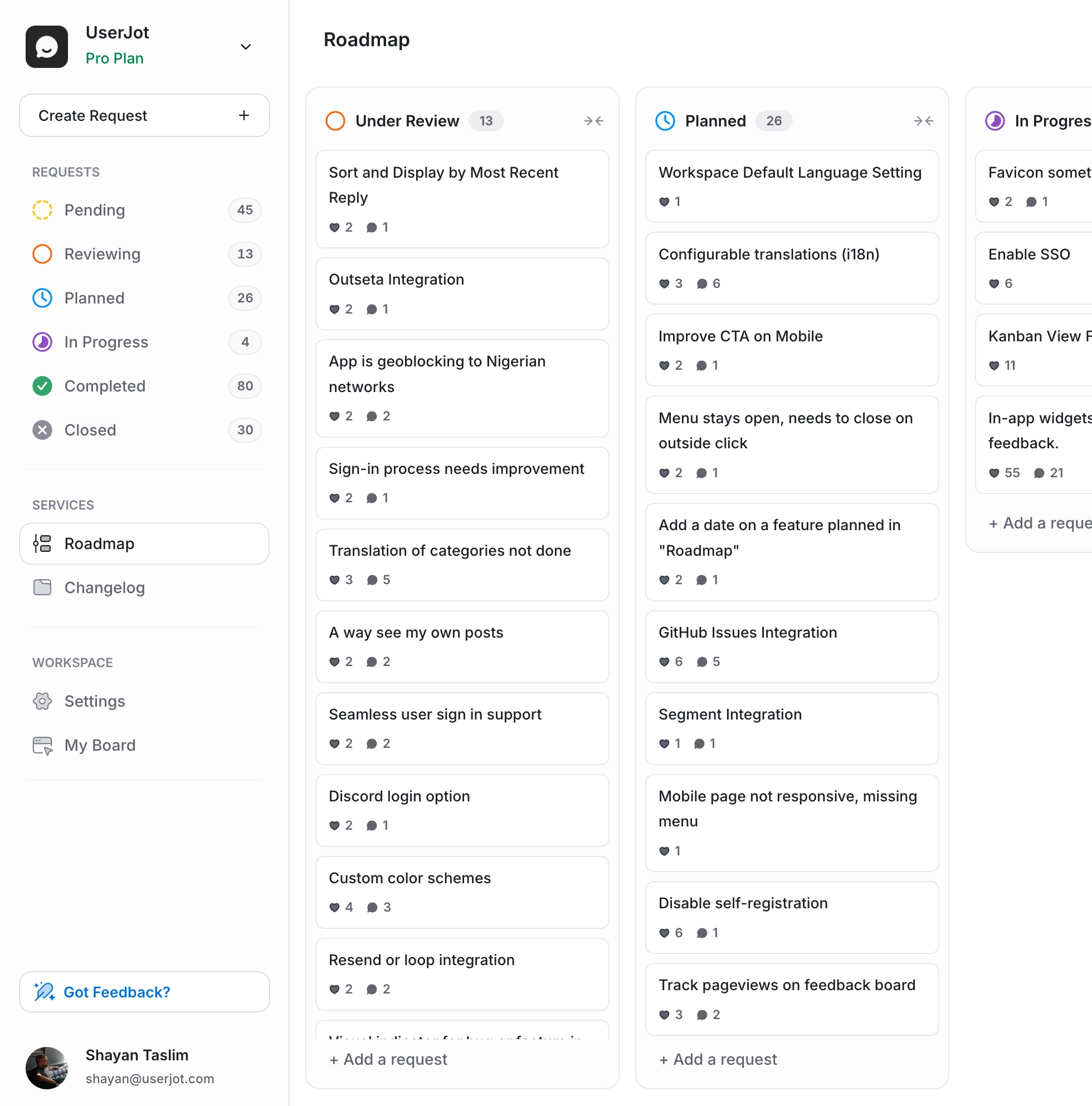
A feedback board without a roadmap is half the story. Users submit ideas, but then what?
The best feedback boards connect directly to a public roadmap. When you change a request's status to "Planned," it shows up on the roadmap automatically. Users see what's coming without you updating two places.
This creates transparency. Users know you're working on their requests. They stop asking "when will you build X?" because they can check the roadmap themselves.
Changelog Connection
The feedback loop isn't complete until you tell users what shipped. A good feedback board connects to your changelog too.
When you mark something as "Completed," the users who voted get notified. The feature appears in your changelog. Everyone knows the request went from idea to reality.
This is where trust gets built. Users see that submitting feedback actually leads to changes. They become advocates.
Pricing That Doesn't Punish Growth
Most feedback tools have a success tax. Canny, for example, charges based on "tracked users." Grow from 100 active users to 500, and your bill jumps from $79 to $359 per month. You're being penalized for building a product people actually want to give feedback on.
This is backwards.
Your feedback tool should get cheaper per user as you grow, not more expensive. The whole point is to collect more feedback from more users. Charging you more when that works is punishing success.
UserJot offers unlimited users on every plan, including the free one. Your bill only goes up if you need enterprise features like SSO, custom domains, or advanced integrations. Not because your community grew.
Stop guessing what to build. Let your users vote.
UserJot keeps feedback, roadmap, and changelog in one simple loop.
How to Set Up a Feedback Board
Getting started is simpler than you might think.
Step 1: Pick a Real Tool (Not a Spreadsheet)
You need dedicated software. A spreadsheet will fail you within weeks. A Slack channel will bury everything. A Notion database will become another thing nobody updates.
Get a tool built specifically for feedback collection. One that includes voting, a roadmap, and a changelog in the same place. The feedback loop only works when everything's connected.
We built UserJot to be the fastest way to start. You can create a board in 30 seconds and be collecting feedback today. There are other options too. But if you want to move fast, that's where we'd point you.
Step 2: Decide What's Public
You can make your board fully public, fully private, or somewhere in between.
Public boards let anyone see and vote on ideas. Good for building community and showing transparency. Users can browse existing requests before submitting, which reduces duplicates.
Private boards are visible only to logged-in users or specific groups. Good for sensitive feedback or internal requests.
Most teams start with a public board for feature requests and a private board for bug reports.
Step 3: Set Up Categories
Don't go overboard, but some structure helps. Common categories:
- Feature Requests
- Bug Reports
- Integrations
- UX/Design
- Documentation
Users can browse by category. Your team can filter by what's relevant to them.
Step 4: Add Your Widget or Share Your Link
Two main ways to get feedback:
Embedded widget: A small button or panel in your app. Users click it, submit feedback, and never leave your product. Low friction, high adoption.
Public board link: A standalone page at a subdomain like feedback.yourcompany.com. Good for marketing sites, emails, and anywhere you want to point users.
Most teams do both. Widget for active users. Public board for everyone else.
Step 5: Seed with Existing Requests
An empty board feels dead. Users won't submit if they think nobody else is participating.
If you have feature requests trapped in spreadsheets, Canny, Notion, or someone's head, get them into your board before you launch. This gives users something to vote on immediately. It shows the board is active and worth their time.
UserJot has one-click imports from Canny and CSV. You can pull in existing posts, votes, comments, and statuses in a few minutes. Your board isn't empty on day one, and your users don't have to re-submit things they already told you about.
Step 6: Tell Your Users
The best feedback board in the world is useless if nobody knows about it. Announce it:
- In your app (via the widget or a notification)
- In your newsletter
- In your onboarding emails
- In support responses ("Thanks for the suggestion! I've added it to our feedback board where you can track its progress: [link]")
Step 7: Actually Use It
This is where most teams fail. They set up a board, collect feedback, and then ignore it.
Schedule time to review feedback weekly. Update statuses when things change. Respond to comments. Close the loop when you ship.
The feedback board works best when it's part of your regular workflow, not something you check once a quarter.
Common Mistakes to Avoid
Collecting Feedback but Never Acting on It
A feedback board that never updates is worse than no feedback board. Users submit ideas, see nothing happen, and feel more ignored than before.
If you're not ready to commit to reviewing and acting on feedback, wait until you are.
Making Submission Too Complicated
Long forms kill participation. Ask for a title and description. Maybe a category. That's it.
You can always follow up for more details. But don't create barriers upfront.
Ignoring Votes in Favor of Gut Feelings
Votes aren't the only input, but they're valuable data. If 200 users are asking for something and you keep pushing it down the list, you're telling them their opinion doesn't matter.
You don't have to build everything users ask for. But if you're consistently ignoring high-demand requests, be transparent about why.
Hiding Your Roadmap
Some teams collect feedback publicly but keep the roadmap private. This misses half the benefit.
Users want to know what's coming. If they can see their request is planned for next quarter, they'll wait. If they have no visibility, they'll churn or complain.
Transparency builds trust. Share your roadmap.
Frequently Asked Questions
What is a feedback board?
A feedback board is a place where users can submit feature requests, vote on ideas, and see what's planned. It replaces scattered feedback from emails, Slack, and support tickets with one organized system.
How do I create a free feedback board?
Several tools offer free plans for feedback boards. UserJot has a free tier that includes unlimited posts, unlimited users, two boards, a roadmap, and a changelog. You can sign up and have a board running in under a minute.
What's the best feedback board software?
Depends on your needs, but look for software that combines feedback collection, voting, a public roadmap, and a changelog. Having everything in one place keeps users engaged through the full feedback loop. UserJot, Canny, and Nolt are popular options. We're biased, but UserJot offers the most features on its free tier.
Can I have a private feedback board?
Yes. Most feedback board tools let you create private boards visible only to logged-in users or specific groups. This is useful for internal feedback, beta programs, or sensitive requests you don't want public.
How do feedback boards improve product development?
Feedback boards show you what users actually want, not what you think they want. Votes surface real demand. Status updates keep everyone aligned. Closing the loop when you ship builds loyalty. Teams using feedback boards make more confident prioritization decisions and waste less time building features nobody asked for.
How do feedback boards reduce churn?
When users see their feedback acknowledged and acted on, they feel valued. They're more likely to stick around. The alternative is users feeling ignored, which is a common reason people leave. Closing the feedback loop (notifying users when their request ships) has a measurable impact on retention.
Should my feedback board be public or private?
Most SaaS teams use public boards for feature requests. It lets users see what others have asked for, vote on existing ideas instead of creating duplicates, and builds community around your product. Private boards work better for bug reports or internal feedback.
How often should I review feedback?
Weekly works for most teams. Set aside time to review new submissions, update statuses, and respond to comments. Some teams do a quick daily check for urgent items and a deeper weekly review for prioritization.
Start Collecting Feedback That Matters
A feedback board won't solve all your product problems. But it will give you clarity on what users actually want, save your team time, and show users you're listening.
The setup takes minutes. The hard part is committing to actually use it. If you do, you'll wonder how you made product decisions without it.
Stop paying a feedback tax
Most tools charge you more as your community grows. More users submitting feedback? Higher bill. More team members reviewing it? Higher bill. They're punishing you for doing the thing the tool is supposed to help you do.
UserJot has a free plan with unlimited feedback from unlimited users. We charge for power features like custom domains, SSO, and advanced integrations. Not for the size of your community.
Set up your board in 30 seconds. No credit card. Just better product decisions.