Beamer Pricing: Plans, Costs, and What You Get
Shayan, FounderUpdated 7 min read

Beamer is a changelog and in-app announcement tool. It helps you notify users about product updates, new features, and company news through widgets, pop-ups, and email notifications.
Unlike feedback tools, Beamer is focused on one-way communication: broadcasting updates to your users. It does this well, but the pricing scales with your monthly visitors, which can get expensive as you grow.
Here's what Beamer actually costs and what you get at each tier.
Beamer Pricing Overview
Beamer uses visitor-based pricing. The more monthly visitors interact with your Beamer widget, the higher your tier needs to be.
Beamer Monthly Costs (Annual Billing)
| Plan | Monthly Price (Annual) | Monthly Price (Monthly) | Visitors | Teammates |
|---|---|---|---|---|
| Free | $0 | $0 | 1,000 | 1 |
| Starter | $49 | $59 | 10,000 | 3 |
| Pro | $99 | $119 | 30,000 | 5 |
| Scale | $249 | $299 | 100,000 | 10 |
| Custom | $499+ | Contact sales | 250,000+ | Unlimited |
Annual billing saves about 17% compared to monthly. All paid plans include a 14-day free trial.
How Beamer Pricing Works
Beamer charges based on monthly visitors, not users or seats. This is important to understand:
What counts as a visitor:
- Anyone who loads a page with your Beamer widget
- Returning visitors count once per month
- Anonymous and logged-in users both count
How visitor limits work:
- If you exceed your limit, you'll be prompted to upgrade
- Overages may result in additional fees
- You can monitor usage in your dashboard
The scaling problem:
- As your product grows, your Beamer bill grows too
- A SaaS with 50,000 active users needs at least the Scale plan ($249/month)
- Enterprise products with 200,000+ visitors need custom pricing
This is different from flat-rate tools where you pay the same regardless of growth.
The Free Plan
Beamer's free plan is genuinely free with no time limit. It's useful for testing or very small products.
What's included:
- Up to 1,000 monthly visitors
- 1 teammate
- 1 language
- Basic changelog functionality
- Basic analytics
- Standalone changelog page
What's not included:
- Custom branding (Beamer watermark appears)
- User reactions
- Segmentation
- Multiple languages
- NPS surveys
- Priority support
Reality check: 1,000 visitors is quite limited. Most products with any traction will outgrow this quickly. The Beamer branding on the free plan also looks unprofessional for customer-facing use.
Paid Plans: What You Get
Starter Plan ($49/month)
The entry-level paid plan for small teams.
What's included:
- 10,000 monthly visitors
- 3 teammates
- Remove Beamer branding
- Custom colors and styling
- Basic segmentation
- Email support
- Standalone changelog page
- Basic integrations
What's not included:
- User reactions (emoji feedback)
- Advanced segmentation
- NPS surveys
- Priority support
- Advanced analytics
Reality check: $49/month for a changelog tool is reasonable, but you're missing reactions and NPS surveys that many teams want. Those require Pro.
Pro Plan ($99/month)
The mid-tier option with engagement features.
What's included:
- 30,000 monthly visitors
- 5 teammates
- Everything in Starter
- User reactions (emoji feedback)
- NPS surveys
- Boosted announcements
- Advanced segmentation
- Priority support
- A/B testing
- Advanced analytics
What's not included:
- 100,000+ visitor support
- Unlimited teammates
- Enterprise security features
- Custom contracts
Reality check: Pro is where Beamer gets useful. Reactions and NPS are valuable features. But at $99/month, you're paying enterprise-level pricing for an announcement tool.
Scale Plan ($249/month)
For larger products with significant traffic.
What's included:
- 100,000 monthly visitors
- 10 teammates
- Everything in Pro
- Advanced analytics
- Custom integrations
- Account manager
- API access
Reality check: At $249/month ($2,988/year) for announcements, this is a significant budget item. Compare that to tools that include feedback, roadmaps, and changelogs together.
Custom Plan ($499+/month)
For enterprise with high traffic or specific requirements.
What's included:
- 250,000+ monthly visitors
- Unlimited teammates
- Enterprise SSO
- Custom contracts
- Dedicated support
- SLA guarantees
- Custom integrations
Cost: Starts at $499/month but varies based on traffic and requirements. Contact sales for a quote.
Stop guessing what to build. Let your users vote.
UserJot keeps feedback, roadmap, and changelog in one simple loop.
Feature Comparison by Plan
One thing to watch: Beamer gates several useful features behind higher tiers.
| Feature | Free | Starter | Pro | Scale |
|---|---|---|---|---|
| Remove branding | No | Yes | Yes | Yes |
| User reactions | No | No | Yes | Yes |
| NPS surveys | No | No | Yes | Yes |
| A/B testing | No | No | Yes | Yes |
| Advanced segmentation | No | No | Yes | Yes |
| Boosted announcements | No | No | Yes | Yes |
| API access | No | No | No | Yes |
The lack of reactions on Starter is notable. Getting feedback on announcements (even simple emoji reactions) requires the $99/month Pro plan.
Hidden Costs and Considerations
Visitor Overages
If you exceed your visitor limit, Beamer will prompt you to upgrade. There's no published overage rate, so costs can be unpredictable if your traffic spikes.
Teammate Limits
Each plan has teammate limits (1, 3, 5, 10). If you need more team members, you'll need a higher tier even if your visitor count is low.
The Userflow Factor
Beamer acquired Userflow (an onboarding tool) in 2024. If you want both changelog and onboarding features, you may need separate subscriptions or wait for integrated pricing.
Annual vs. Monthly
The price difference between annual and monthly billing is significant:
- Starter: $49/mo (annual) vs $59/mo (monthly) = $120/year savings
- Pro: $99/mo (annual) vs $119/mo (monthly) = $240/year savings
- Scale: $249/mo (annual) vs $299/mo (monthly) = $600/year savings
Annual billing locks you in but saves 17%.
Is Beamer Worth the Cost?
Beamer makes sense if:
- Your primary need is announcing updates to users
- You want polished, professional-looking changelogs
- You need in-app notifications and pop-ups
- You value engagement features like reactions and NPS
- You're okay paying specifically for one-way communication
Beamer is probably overkill if:
- You also need to collect feedback from users
- You want users to vote on feature requests
- You need a public roadmap
- Your budget is tight for a single-purpose tool
- You want the full feedback loop in one platform
Beamer vs. Alternatives
Here's how Beamer compares to other options:
| Tool | Starting Price | Free Plan | Feedback Boards | Roadmap | Changelog |
|---|---|---|---|---|---|
| Beamer | $49/mo | Yes (1K visitors) | No | Basic | Yes |
| UserJot | $29/mo | Yes (unlimited) | Yes | Yes | Yes |
| Canny | $24/mo | Yes (25 users) | Yes | Yes | Yes |
| LaunchNotes | $49/mo | No | Limited | No | Yes |
| Headway | $29/mo | Yes | No | No | Yes |
The key difference: Beamer is a dedicated announcement tool. It does changelogs and notifications well but doesn't help you collect feedback or show a roadmap. Tools like UserJot include all three.
A More Complete Alternative
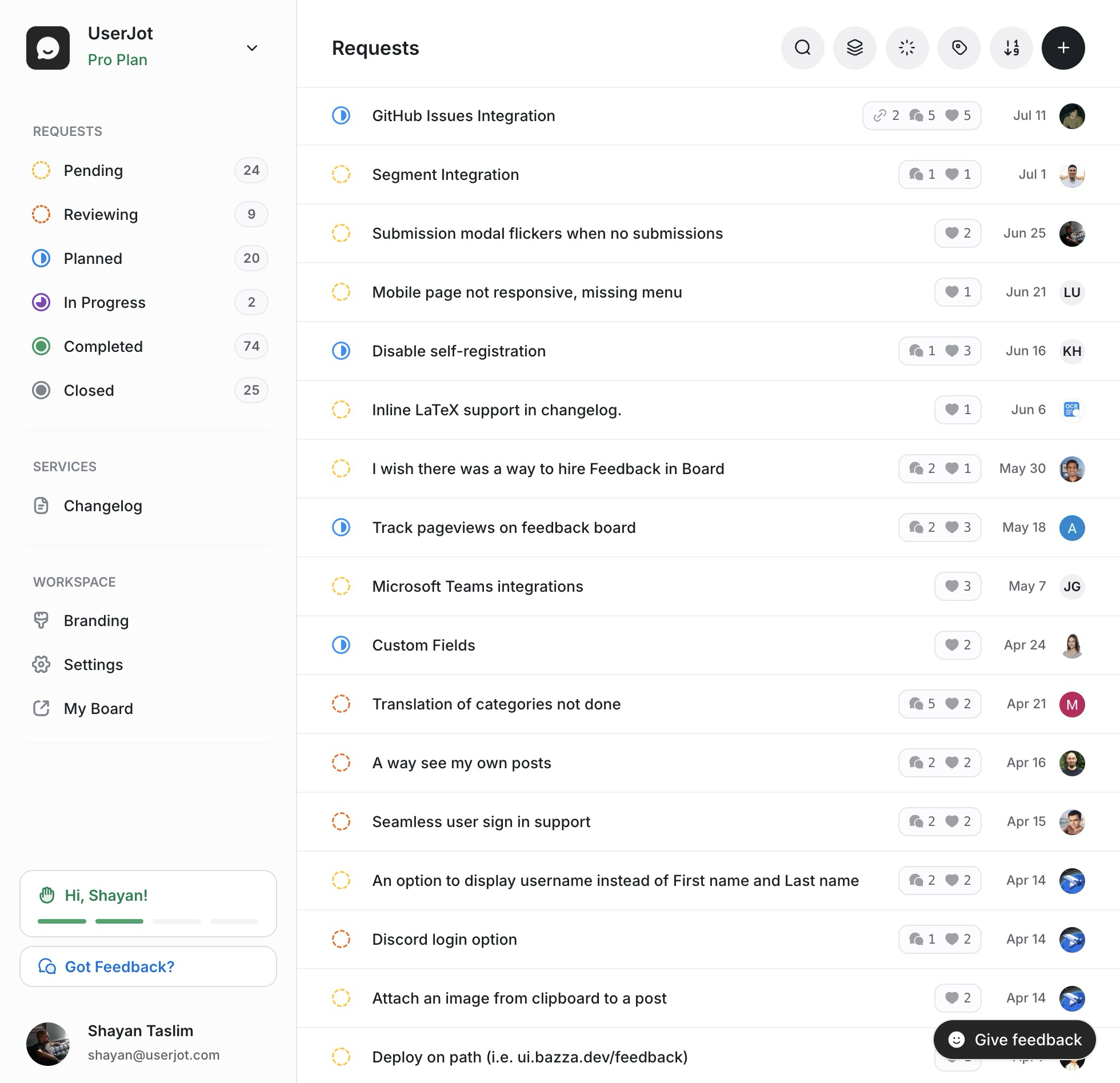
If you want the complete feedback loop, not just announcements, UserJot includes feedback boards, roadmaps, and changelogs in one platform. Our Beamer alternative guide compares the two.
| UserJot | Beamer | |
|---|---|---|
| Starting Price | $29/mo | $49/mo |
| Free Plan | Yes (unlimited users) | Yes (1K visitors) |
| Pricing Model | Flat rate | Visitor-based |
| Feedback Boards | Yes | No |
| User Voting | Yes | No |
| Roadmap | Yes | Basic |
| Changelog | Yes | Yes |
Pricing: Free plan available. Paid plans start at $29/month with no visitor limits.
With UserJot, you collect feedback, show what's planned, and announce what shipped. That's the full cycle. Beamer only covers the last part.
Frequently Asked Questions
How much does Beamer cost?
Beamer's paid plans start at $49/month (annual billing) for the Starter plan with 10,000 visitors. Pro is $99/month (30,000 visitors), Scale is $249/month (100,000 visitors), and custom enterprise plans start at $499/month.
Does Beamer have a free plan?
Yes. Beamer's free plan includes up to 1,000 monthly visitors, 1 teammate, and basic changelog features. It includes Beamer branding and lacks features like reactions, NPS, and segmentation.
What are "visitors" in Beamer pricing?
Visitors are unique users who load a page with your Beamer widget in a given month. Both anonymous and logged-in users count. Returning visitors count once per month.
Is Beamer worth it for small teams?
It depends on your needs. If you only need changelogs, $49/month is reasonable. But if you also want feedback collection and roadmaps, you'll pay for Beamer plus additional tools. An all-in-one like UserJot may be more cost-effective.
Why don't reactions come with the Starter plan?
Beamer gates user reactions (emoji feedback) behind the Pro plan at $99/month. This is a common complaint since reactions are a basic engagement feature many teams expect.
Can I use Beamer for free forever?
Yes, the free plan has no time limit. But with only 1,000 visitors and Beamer branding, most products will need to upgrade once they have any real traction.
Does Beamer include feedback collection?
Not really. Beamer focuses on one-way announcements. You can get basic emoji reactions on Pro plans, but there's no way for users to submit feature requests, vote on ideas, or see a voting board.
How does Beamer compare to Canny?
Beamer is for announcements and changelogs. Canny is for feedback collection and voting boards. They serve different purposes. Some teams use both. Tools like UserJot combine both functions.
Does Beamer have a roadmap feature?
Beamer has a basic roadmap feature, but it's limited compared to dedicated roadmap tools. There's no user voting or feedback integration. It's more of a simple status display than a full roadmap solution.
What happens if I exceed my visitor limit?
Beamer will prompt you to upgrade to a higher plan. There's no published overage rate, so it's best to monitor your usage and upgrade proactively if you're approaching limits.